Tech
What is NFC? How near-field communication works on your phone
What is NFC and what is it used for? Learn how near-field communication powers tap-to-pay, transit cards and quick pairing, and whether you should turn it off.
 Bitezine Editorial TeamRankings, reviews & guides 6 min read
 AI generated
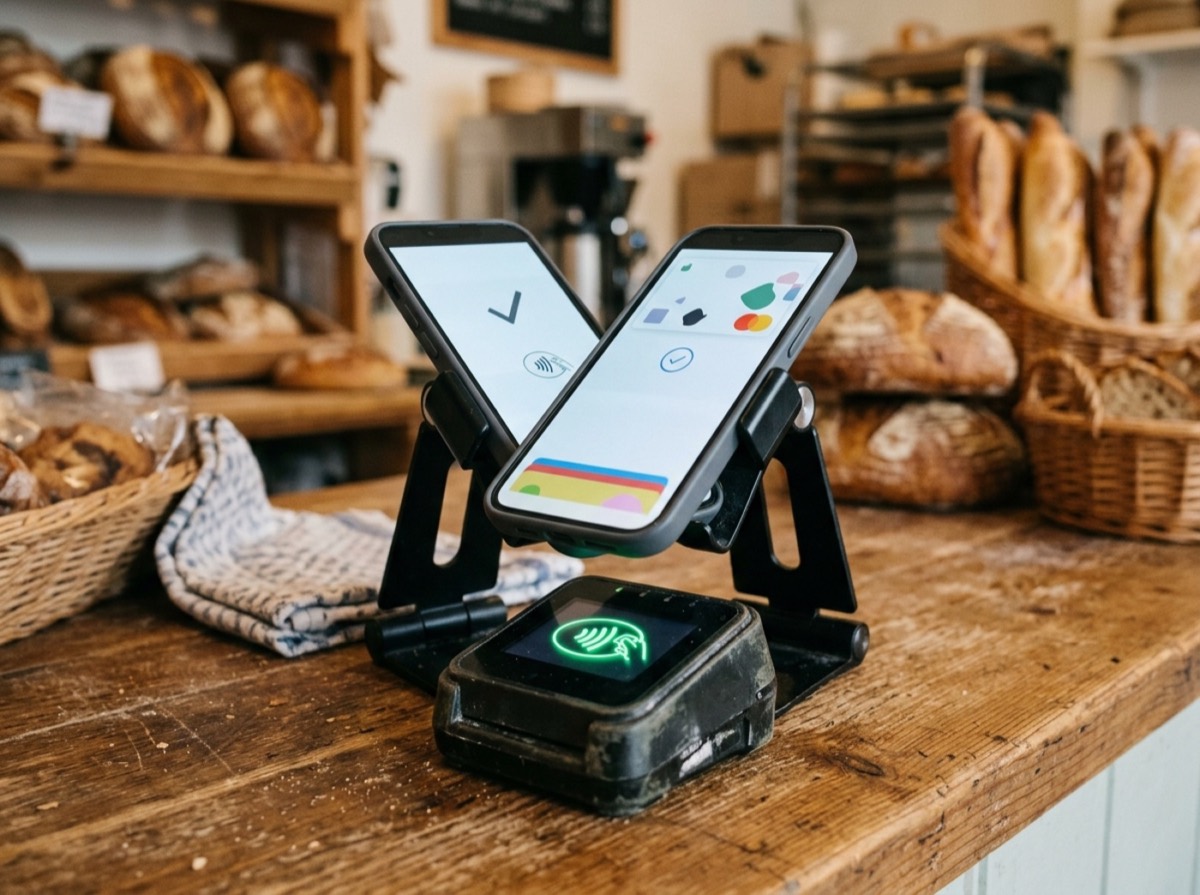
NFC, short for near-field communication, is a short-range wireless technology that lets two devices exchange small amounts of data when you hold them a few centimetres apart. It is what makes tap-to-pay with a phone or watch possible, and it also powers contactless transit cards, hotel key cards, digital ID checks and one-tap pairing with headphones or speakers.
Most smartphones sold today have NFC built in, often switched on by default. This guide explains what NFC is, how it works, what you can use it for, how it compares with Bluetooth and RFID, and how safe it really is.
What is NFC and how does it work?
NFC works through magnetic induction. A device sending a signal creates a small magnetic field at a frequency of 13.56 MHz. When a second NFC antenna comes close enough, usually within about 4 centimetres, the field induces a current in it and the two can communicate.
Because the field fades very quickly with distance, NFC only works at close range. That is a deliberate design choice: you have to bring the devices together on purpose, which makes accidental connections unlikely.
NFC is a branch of RFID (radio-frequency identification) technology, and it is standardised by international bodies and the NFC Forum, an industry group founded in 2004 that certifies devices so that phones, readers and tags from different makers work together.
The three NFC modes
Every NFC use falls into one of three modes, which explains why the same chip can do so many different jobs.
- Card emulation: your phone or watch behaves like a contactless card, so a payment terminal, ticket gate or door reader treats it as one.
- Reader/writer: your phone reads information from, or writes it to, a passive NFC tag or card, such as a smart poster or a sticker.
- Peer-to-peer: two powered devices exchange data directly, for example to start a Bluetooth pairing or share a contact.
NFC turns a phone into a wallet, a ticket and a key, all with a simple tap.
What is NFC used for?
Mobile payments are the best-known use. When you hold your phone near a card terminal, the NFC chip passes a one-time payment token to the reader. Your real card number is not shared with the shop, which is one reason phone payments are considered secure.
Beyond payments, NFC shows up in many everyday places.
- Public transport: tapping in and out with a phone, watch or contactless card.
- Access control: office badges, hotel room keys and some digital car keys.
- Pairing: touching a phone to compatible headphones, speakers or printers to connect without menus.
- Identity documents: many phones can read the chip in modern passports and ID cards for official verification.
- Smart tags: stickers that open a web page, share Wi-Fi details or trigger a phone shortcut when tapped.
- Product information: tags in packaging, museum exhibits and posters that open extra details.
What are NFC tags?
An NFC tag is a small chip with an antenna, often built into a sticker, key fob or card. It has no battery. When your phone comes close, the phone's field powers the tag long enough for it to send back the data it stores.
Tags hold very little data, typically from a few dozen bytes to a few kilobytes, which is enough for a web address, a short text or a set of instructions. You can buy blank tags cheaply and program them with your phone to do simple things, like switching the phone to silent when you put it on your bedside table or sharing your home Wi-Fi with guests. Tags can be locked after writing so no one can change them.
NFC vs Bluetooth and NFC vs RFID
NFC and Bluetooth are both wireless, but they are built for different tasks. Bluetooth covers several metres and moves larger amounts of data continuously, which is why it streams audio. NFC covers a few centimetres, transfers data slowly (from 106 to 848 kilobits per second) and connects almost instantly. That is why the two often work together: NFC starts the handshake with a quick tap, then Bluetooth or Wi-Fi takes over for the heavy lifting.
RFID is the wider family NFC belongs to. Some RFID systems, such as those used in warehouses or toll roads, read tags from several metres away and at different frequencies. NFC is a specific, short-range subset designed so that consumer devices can both read tags and act as tags themselves.
Is NFC safe? Security explained
NFC is generally safe to leave on. The very short range makes it hard for someone to read your phone without you noticing, and payment functions add several layers of protection. Phone payments use tokenisation, so your real card number is not transmitted, and most phones require you to unlock the device or confirm with a fingerprint or face scan before a payment goes through.
The NFC standard itself does not encrypt data, so security depends on the app or service using it. Researchers have shown relay attacks, where criminals use two devices to extend the range between a card and a reader, but these are complex and rare in practice. Sensible habits help: keep your phone locked, set up payment confirmation, and be wary of tapping unknown tags in public, since a tag could open a misleading website. Your phone normally asks before opening links from a tag.
If you do not use NFC at all, turning it off does no harm, but there is no strong security reason to do so.
How to turn NFC on or off
On most Android phones, open Settings, go to the connections or connected devices section and toggle NFC, or add the NFC tile to the quick settings panel. On iPhone, NFC has no on/off switch; it is always available for payments and tag reading and only activates when needed. Many phones need to be unlocked, with the screen on, before the NFC chip responds.
To find where the antenna sits, check your phone's manual. On most phones it is near the top or middle of the back, and a thick metal case can block the signal.
Frequently asked questions
What does NFC mean on my phone?
+
NFC stands for near-field communication. It is a chip and antenna in your phone that lets it talk to payment terminals, tags and other devices when you hold them a few centimetres apart.
Does NFC drain the battery?
+
Barely. NFC only draws noticeable power when it detects another NFC device, and the chip is designed to be very efficient. Leaving it switched on has a negligible effect on battery life.
Can someone steal my card details with NFC?
+
It is very unlikely. Phone payments use one-time tokens instead of your real card number and usually need you to unlock the phone first. The short range also means someone would need to get extremely close to your device.
What is the range of NFC?
+
NFC typically works within about 4 centimetres, and in practice you often need to touch or nearly touch the devices. The short range is intentional, so connections only happen when you mean them to.
Do I need an internet connection to use NFC?
+
No. NFC works directly between devices without Wi-Fi or mobile data. Some services that use it, such as adding a new payment card, need the internet during setup, but a tap itself does not.
Can I use NFC to transfer files between phones?
+
NFC alone is too slow for large files. Some phones use an NFC tap to start the connection and then send the file over Bluetooth or Wi-Fi, which is much faster.
NFC is one of those technologies that does its job quietly. It turns a phone into a wallet, a ticket and a key, and it saves you from fiddly pairing menus, all with a simple tap. Knowing how it works makes it easier to use with confidence: keep your phone locked, confirm payments with your fingerprint or face, and enjoy the convenience.
How we research: Guides are written from established sources and checked for accuracy. They are general information, not professional advice.
Written by
Bitezine Editorial Team
Rankings, reviews & guides
Our editors research every piece from makers’ documentation, independent tests and owner reports, and update it when products change.