Culture
How to take better photos with your phone: 15 practical tips
How to take better photos with your phone: clean the lens, use light and composition well, control focus and exposure, and edit lightly for sharper, more striking shots.
 Bitezine Editorial TeamRankings, reviews & guides 5 min read
 AI generated
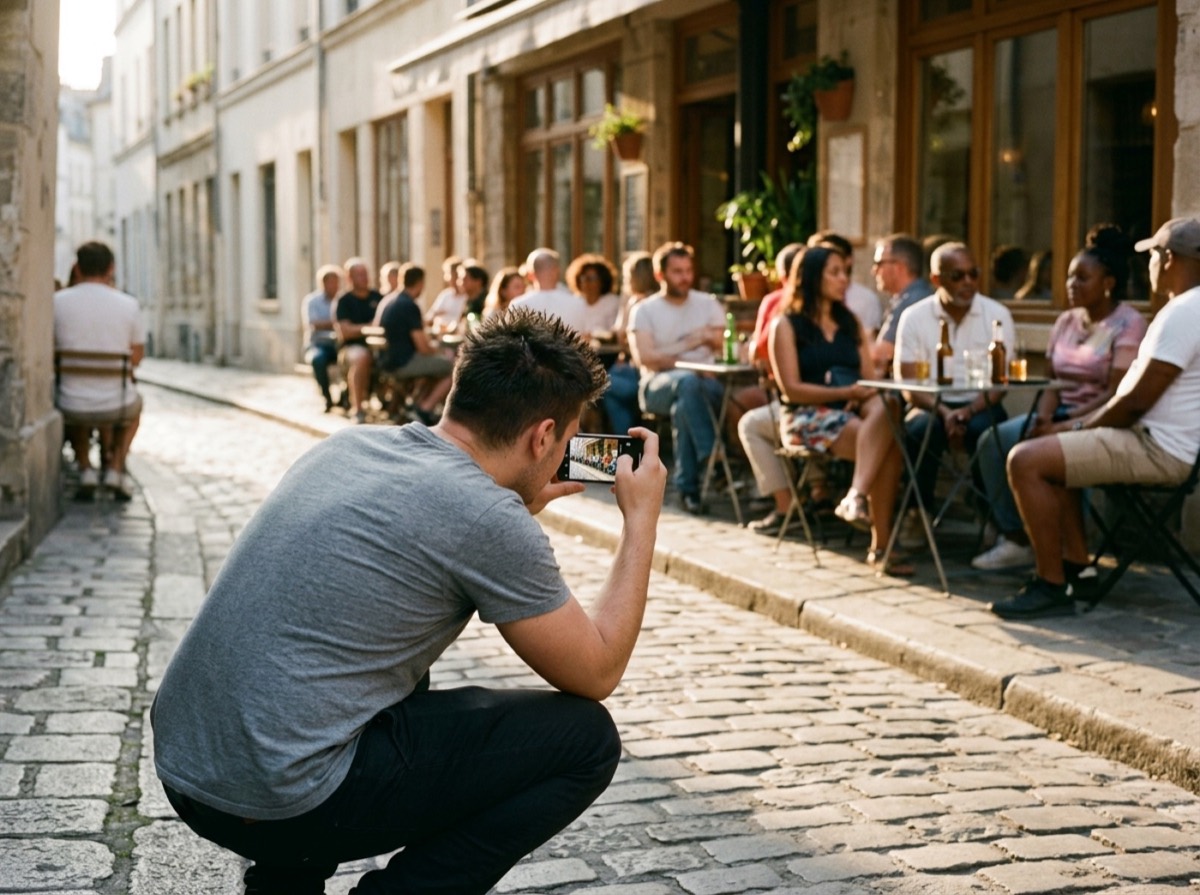
Learning how to take better photos with your phone has little to do with owning the newest model. Modern smartphone cameras are remarkably capable, and the gap between an ordinary snapshot and a picture people remember usually comes down to light, composition and a few settings most people never touch.
These smartphone photography tips work on both iPhone and Android. They cover the habits that make the biggest difference first, then move on to portraits, night shots and simple editing.
Start with the basics: a clean lens and a steady hand
Phone lenses live in pockets and bags, so they collect fingerprints and dust. A smudge causes hazy, low-contrast photos and glowing halos around lights. Wipe the lens with a soft microfibre cloth before you shoot; it is the quickest improvement you can make.
Blur often comes from movement rather than focus. Hold the phone with both hands, tuck your elbows in and press the shutter gently. Many phones also let you use a volume button as the shutter, which shakes the phone less than tapping the screen. In low light, lean against a wall or rest the phone on a surface.
Find good light
Light matters more than any camera feature. Soft, indirect light flatters people and objects; harsh midday sun creates deep shadows and squinting faces.
Photographers love the golden hour, the period shortly after sunrise and before sunset, when light is warm and low. Indoors, place your subject near a window and turn off mixed artificial lights that can create odd colour casts. Avoid the built-in flash in most situations, since it tends to flatten faces and create red eyes and harsh reflections.
The gap between a snapshot and a picture people remember usually comes down to light, composition and a few settings.
Composition tips for phone photography
Turn on the camera grid in your settings. The lines divide the screen into thirds, which helps you apply the rule of thirds: place your subject or the horizon along one of the lines rather than dead centre. It also keeps horizons level.
Beyond that rule, a few habits make images feel intentional.
- Get closer: fill the frame with your subject and cut out clutter.
- Look for leading lines: roads, fences and rivers guide the eye into the picture.
- Change your angle: shoot from low down or from above instead of always at eye level.
- Use foreground interest: a branch or a rock in front adds depth to landscapes.
- Leave space: give a moving subject room to move into the frame.
- Check the edges: a stray bin or a cut-off foot is easy to fix before you press the shutter.
Control focus and exposure
Your phone guesses what to focus on and how bright the scene should be, and it does not always guess right. Tap the screen on your subject to set focus and exposure there. On most phones you can then slide a finger up or down to make the image brighter or darker.
Press and hold to lock focus and exposure so they stay fixed while you recompose. This is useful for bright skies, where the phone might otherwise darken the whole scene, or for dark subjects against a light background. Slightly underexposing is usually safer than overexposing, because blown-out highlights cannot be recovered.
Should you use zoom on your phone?
Many phones have more than one lens, such as an ultra-wide, a main and a telephoto camera. Switching between these with the on-screen buttons uses optical zoom, which keeps quality high. Pinching beyond those steps uses digital zoom, which enlarges pixels and softens detail.
The main camera usually has the largest sensor and gives the best results, especially in dim light. When in doubt, walk closer instead of zooming, or shoot wider and crop slightly afterwards.
Portraits, action and night photos
Portrait mode blurs the background to make a person stand out. It works best with some distance between your subject and the background and with good light. Check hair and glasses edges, where the effect can look artificial, and reduce the blur strength if your phone allows it.
For moving subjects such as children, pets or sport, use burst mode by holding the shutter, then keep the sharpest frame. Plenty of light keeps shutter speeds fast.
Night mode combines several exposures into one brighter, cleaner image. Hold the phone as still as possible for the full capture time, or use a small tripod. Include a light source like street lamps or shop windows to give the scene structure.
Useful settings and simple editing
Explore your camera settings once. HDR balances bright and dark areas and is worth leaving on for most scenes. Some phones offer a RAW or pro mode that keeps more image data for editing, at the cost of larger files. Enable location tags only if you are comfortable sharing that information.
Editing should polish, not rescue. The built-in photo editor on your phone is enough for most people: straighten the horizon, crop for a stronger composition, then make small changes to exposure, contrast, highlights and warmth. Go easy on saturation and filters, since heavy edits date quickly and look unnatural. Finally, take several shots of anything important, back up your photo library and delete the misses regularly so the best pictures are easy to find.
Frequently asked questions
Why are my phone photos blurry?
+
The most common causes are a dirty lens, camera shake and low light. Clean the lens, hold the phone with both hands, tap to focus on your subject and add more light or brace the phone against something steady.
What is the rule of thirds on a phone camera?
+
It is a composition guideline where the frame is divided into a three-by-three grid. Placing your subject or horizon along those lines usually looks more balanced than centring it. Turn on the grid in your camera settings to use it easily.
Is digital zoom bad on a phone?
+
Digital zoom enlarges the image by cropping and upscaling, so it loses detail. Use the dedicated lens buttons for optical zoom when available, or move closer to your subject instead.
How do I take better night photos with my phone?
+
Use night mode, keep the phone completely still for the whole capture, and avoid the flash. A small tripod or a stable surface helps a lot, and including street lights or lit windows gives the image shape.
Should I use HDR on my phone camera?
+
For most scenes, yes. HDR combines several exposures to keep detail in both bright skies and dark shadows. It is less helpful for fast action, where combining frames can cause ghosting.
What time of day is best for phone photos?
+
Early morning and the hour before sunset give soft, warm light that flatters almost any subject. Overcast days are also good for portraits because clouds spread the light evenly.
Do I need a separate app to edit phone photos?
+
Not usually. The editor built into your phone's gallery handles cropping, straightening, exposure and colour adjustments well enough for most people.
Knowing how to take better photos with your phone comes down to habits rather than hardware: a clean lens, good light, thoughtful composition, deliberate focus and exposure, and light editing. Practise one tip at a time on everyday subjects, and your smartphone photography will improve faster than any upgrade could manage.
How we research: Guides are written from established sources and checked for accuracy. They are general information, not professional advice.
Written by
Bitezine Editorial Team
Rankings, reviews & guides
Our editors research every piece from makers’ documentation, independent tests and owner reports, and update it when products change.