Culture
How to start a podcast: a step-by-step beginner's guide
How to start a podcast from scratch: pick a concept, choose a microphone, record clean audio, edit, publish via RSS and grow a loyal audience.
 Bitezine Editorial TeamRankings, reviews & guides 6 min read
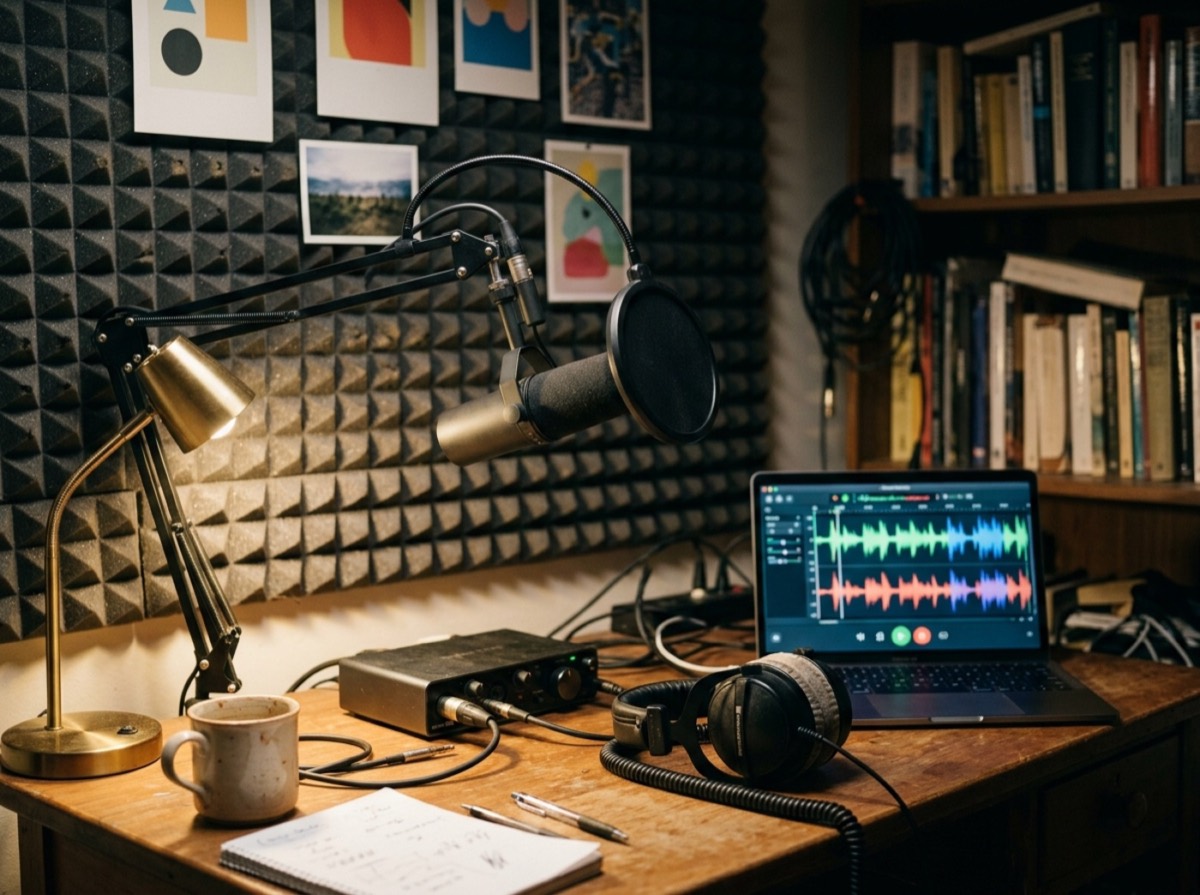 AI generated
Knowing how to start a podcast is mostly about planning. The technology is affordable and simple today, but the shows that last are the ones with a clear idea, a steady schedule and decent sound.
This guide takes you through each step: shaping your concept, choosing equipment, recording and editing, publishing through a hosting service and growing an audience over time.
Step 1: define your podcast concept
Start with two questions: who is the show for, and why would they listen to you rather than someone else? A narrow topic with a clear audience usually does better than a broad one. 'Gardening on a city balcony' is easier to grow than 'gardening'.
Write a one-sentence description of the show and a list of at least ten episode ideas. If you struggle to reach ten, the idea may be too thin to sustain a series.
Step 2: choose a format and episode length
Pick a format that plays to your strengths and that you can sustain. Interviews depend on finding guests, while solo shows depend on your own preparation.
There is no ideal episode length. Match it to your content and your listeners' habits. Many people play podcasts while commuting, exercising or doing chores, so episodes of 20 to 45 minutes are common, and interviews often run longer. What matters most is that every minute earns its place and that the length and release day stay predictable. Decide on a schedule you can keep, such as weekly or every two weeks, and record several episodes before launch to give yourself a buffer for busy weeks.
The most common podcast formats are:
- Solo shows, where one host teaches or reflects.
- Co-hosted conversations between two or three regulars.
- Interview shows with a new guest each episode.
- Narrative or documentary storytelling, which takes the most production time.
- Panel or roundtable discussions.
- Fiction and audio drama.
Your room has a bigger impact than your microphone.
Step 3: podcast equipment for beginners
Good audio matters more than fancy gear. A modest setup is enough to sound professional:
- Microphone: a dynamic microphone picks up less room noise and suits untreated rooms; a condenser microphone captures more detail but also more echo.
- Connection: USB microphones plug straight into a computer; XLR microphones need an audio interface or mixer but are easier to upgrade.
- Closed-back headphones so you can hear yourself without sound leaking into the microphone.
- A pop filter or foam windscreen to soften hard 'p' and 'b' sounds.
- A stand or boom arm to keep the microphone steady and at a consistent distance.
- Recording software on your computer; free audio editors are fine for starting out.
Step 4: how to record a podcast with clean sound
Your room has a bigger impact than your microphone. Hard, empty rooms create echo. Record in a space with soft furnishings, such as a bedroom with curtains, rugs and a full wardrobe. Switch off fans, fridges and notifications.
Keep your mouth a consistent distance from the microphone, typically a few centimetres to a hand's width depending on the model. Record a short test and listen on headphones before every session. Set your levels so your loudest moments stay well below the maximum, because clipped audio cannot be repaired.
For remote guests, ask each person to record their own audio locally if possible, then combine the files. This avoids the dropouts and compression of an internet call. Always make a backup recording.
Step 5: edit and polish your episodes
Editing turns a recording into a show. Remove long pauses, false starts and off-topic tangents, but keep natural speech so it does not sound robotic. Apply gentle noise reduction, equalisation and compression so voices sound even.
Loudness should be consistent between episodes and similar to other shows. A target of around -16 LUFS is widely used for podcasts. Add a short intro and outro, and use only music you have the rights to use, such as properly licensed or royalty-free tracks. Export the final file as an MP3 at a standard bitrate.
Step 6: publish your podcast with a hosting service
Podcasts are distributed through an RSS feed. A podcast hosting service stores your audio files, generates the feed and helps you submit it to the major podcast directories. Once listed, new episodes appear automatically for subscribers.
Before you launch, prepare the essentials: a clear show name that says what it is about, a short description rich in the words people search for, square cover art that is readable at thumbnail size, and a category. Write episode titles that describe the content rather than just numbering them, and add show notes with key points and links.
Many hosts start with a trailer plus two or three full episodes on launch day, so new listeners have something to binge.
Step 7: grow your podcast audience
Growth is usually slow and steady. The most reliable tactics are:
- Publish on a consistent schedule.
- Invite guests who will share the episode with their own audiences.
- Appear as a guest on other shows in your niche.
- Turn highlights into short video or audio clips for social media.
- Publish transcripts or show notes so search engines can find your content.
- Ask listeners to follow, rate and tell a friend.
- Meet listeners in person at live recordings or local events.
How do podcasts make money?
Common routes include sponsorships and advertising, listener support through memberships or donations, premium bonus episodes, merchandise, live events and using the show to promote your own services. Most shows need a sizeable and engaged audience before sponsorship becomes meaningful, so treat revenue as a later stage rather than a launch goal.
Frequently asked questions
How do I start a podcast with no experience?
+
Pick a focused topic, plan ten episode ideas, buy a decent USB microphone and headphones, record in a quiet soft-furnished room and publish through a podcast hosting service. Your skills will improve with every episode.
Can I start a podcast for free?
+
It is possible to record with a phone or basic headset and edit with free software, and some hosting services have free tiers. A modest microphone investment usually improves sound quality noticeably.
What equipment do I need to start a podcast?
+
At minimum, a microphone, closed-back headphones and a computer with recording software. A pop filter and microphone stand help. XLR microphones also need an audio interface.
How do I get my podcast on the major platforms?
+
Upload episodes to a podcast hosting service, which creates an RSS feed. Submit that feed to each directory once, and new episodes will then appear automatically.
How long should my podcast episodes be?
+
As long as the content stays engaging. Many shows run 20 to 45 minutes, which suits commutes and workouts. Consistency in length and schedule matters more than hitting a specific number.
How many episodes should I launch with?
+
Many podcasters launch with a trailer and two or three full episodes. This gives new listeners enough to judge the show and encourages them to follow.
Do I need permission to use music in my podcast?
+
Yes. Commercial songs are protected by copyright, so use music you have licensed or tracks explicitly offered as royalty-free for podcasts, and check the licence terms.
Learning how to start a podcast is the easy part. Keeping it going is where shows succeed. Choose a clear concept, invest in clean sound, publish on a schedule you can sustain and keep listening to your own episodes with a critical ear. After a dozen episodes, you will sound more confident, and your audience will notice.
How we research: Guides are written from established sources and checked for accuracy. They are general information, not professional advice.
Written by
Bitezine Editorial Team
Rankings, reviews & guides
Our editors research every piece from makers’ documentation, independent tests and owner reports, and update it when products change.