Tech
How to protect kids online: a practical guide for parents
Age-by-age advice on parental controls, privacy settings, online risks and the conversations that keep children safer on phones, games and social media.
 Bitezine Editorial TeamRankings, reviews & guides 6 min read
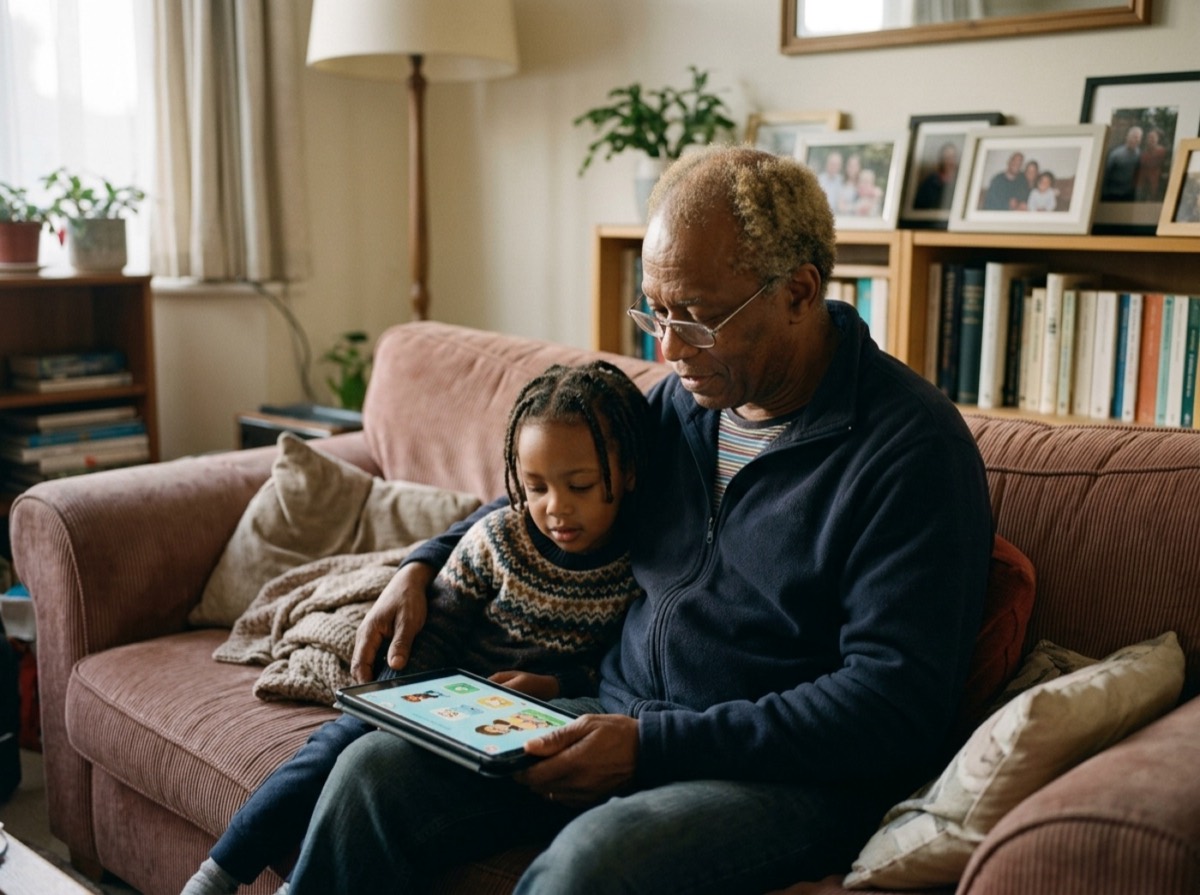 AI generated
Learning how to protect kids online is less about finding one perfect setting and more about combining sensible technical controls with open, ongoing conversations. Children meet the internet through tablets, games consoles, school laptops and friends' phones, so no single filter can follow them everywhere.
This guide covers the main risks, the parental controls worth switching on, age-appropriate rules and the warning signs that something is wrong. It works whether your child is watching their first videos or asking for a social media account.
The main online risks for children
It helps to know what you are protecting against. Online risks are often grouped into four areas: harmful content, contact with people who mean harm, conduct such as bullying or oversharing, and commercial risks like scams and pressure to spend money.
Most children will run into at least some of these. The goal is not to remove every risk, which is impossible, but to reduce exposure for younger children and build the judgement older children need.
- Inappropriate content: violence, pornography, self-harm or extreme material
- Contact risks: strangers, grooming and sextortion attempts
- Cyberbullying from classmates or other players
- Oversharing personal details, location or photos
- Scams, phishing and fake giveaways
- In-game purchases and loot boxes that encourage spending
- Excessive use that crowds out sleep, play and schoolwork
How to set up parental controls
Every major phone, tablet, computer and games console includes free parental controls. Set them up before handing a device over, since it is easier to relax rules later than to add them afterwards.
Create a child account rather than letting your child use yours. Child accounts unlock age-based content filters and let you approve downloads and purchases. Then work through the settings on each layer: the device, the home network, and individual apps and games.
- Device: content ratings, app approval, purchase approval and daily time limits
- Web: safe search and filtering of adult websites
- Home router: network-level filtering and scheduled Wi-Fi pauses
- Video platforms: restricted or kids modes and turning off autoplay
- Games consoles: age ratings, voice chat limits and spending caps
- Location: sharing only with family, turned off inside apps that do not need it
The most effective parental control is a child who knows they can tell you anything without losing their phone.
Privacy settings every child's account needs
Default settings on many platforms are designed to help people find each other, which is the opposite of what a child needs. Go through privacy options together so your child understands why each one matters.
Set profiles to private, limit who can send messages or friend requests, and turn off location tags on posts. Use a nickname rather than a full name, and avoid profile photos that show a school uniform, street sign or house number. Remind children that anything posted can be screenshotted and shared, even in private chats or disappearing messages.
Age-by-age online safety tips
Rules should grow with your child. Younger children need close supervision and a limited, curated set of content. Teenagers need more independence, with you shifting from gatekeeper to coach.
- Under 5: use devices together, stick to selected content and keep screens in shared rooms. The WHO advises no sedentary screen time for children under 2 and no more than one hour a day for ages 2 to 4
- Ages 6 to 9: child accounts, approved apps only, no private chat with strangers, devices out of bedrooms at night
- Ages 10 to 12: introduce messaging carefully, talk about peer pressure, scams and sharing photos
- Teens: agree on rules together, check privacy settings regularly and focus on trust, respect and knowing when to ask for help
What age can kids use social media?
Most major social networks set a minimum age of 13 in their terms of service. In the EU, the GDPR sets 16 as the default age at which a child can consent to online services processing their data without parental approval, and member states may lower it to no less than 13. Germany keeps the threshold at 16.
Meeting the minimum age does not mean a child is ready. Consider their maturity, how they handle conflict and whether they would tell you if something upset them. Starting with one platform, a private account and agreed rules works better than opening several at once.
How to talk to kids about online safety
Conversations matter more than any filter, because children will eventually use devices you do not control. Talk little and often, and show genuine interest in the games, videos and creators they enjoy.
Make one promise clear: they can always come to you if something online feels wrong, and they will not lose their device as a punishment for telling you. Fear of losing access is one of the main reasons children stay silent about bullying or unwanted contact.
- Online friends are not always who they say they are
- Never share passwords, addresses, school names or intimate images
- Nobody who cares about you asks you to keep secrets from your parents
- If a message feels scary, block, screenshot and tell an adult
- It is never too late to ask for help, even after a mistake
Warning signs of cyberbullying or grooming
Changes in behaviour often come before a child says anything. Watch for a child who suddenly hides their screen, becomes anxious after using a device, withdraws from friends, or receives gifts or money you cannot explain. Someone who pushes for secrecy, flatters heavily or tries to move a chat to a more private platform is a serious red flag.
If you suspect a problem, stay calm and listen. Save evidence with screenshots, block and report the account on the platform, and inform the school in bullying cases. If an adult is sexually approaching a child or threatening them, contact the police and do not delete the messages.
Create a family media plan
A written family media plan turns rules into a shared agreement. Include where devices can be used, screen-free times such as meals and the hour before bed, which apps are allowed, how purchases work and what happens when rules are broken. Parents following the same rules makes the plan far more convincing. Review it every few months as your children grow.
Frequently asked questions
What is the best way to protect my child online?
+
Combine free parental controls on every device with privacy settings on each app and regular, calm conversations. Technical controls reduce exposure, while open communication helps children handle what filters miss.
At what age should a child get a smartphone?
+
There is no single right age. Many families wait until the start of secondary school, when children travel alone more often. A basic phone or a smartphone with strict controls is a sensible first step.
Can parental controls be bypassed?
+
Yes, determined children can sometimes get around them, for example by using a friend's device or public Wi-Fi. That is why controls work best alongside trust and clear rules. Use a separate parent password and check settings from time to time.
Should I read my child's messages?
+
For young children, supervising messages openly is reasonable. For teens, secret monitoring can damage trust, so agree on rules together and explain when you might check. Intervene more directly if you have a real safety concern.
What should I do if my child is being cyberbullied?
+
Listen and reassure them they did nothing wrong. Save screenshots, block and report the bully on the platform, and contact the school if classmates are involved. Contact the police if there are threats or sexual content.
Is online gaming safe for kids?
+
It can be, with the right settings. Choose age-appropriate games, limit or turn off voice and text chat with strangers, cap spending and play together now and then so you know who your child meets.
Protecting kids online works best in layers: child accounts and parental controls, tight privacy settings, age-appropriate rules and a relationship where children feel safe to speak up. Revisit the setup as your child grows, and keep the conversation going long after the filters come off.
How we research: Guides are written from established sources and checked for accuracy. They are general information, not professional advice.
Written by
Bitezine Editorial Team
Rankings, reviews & guides
Our editors research every piece from makers’ documentation, independent tests and owner reports, and update it when products change.