Ranked · Apps
Best emergency contact apps in 2026
From ICE contact lists and medical IDs to SOS alerts and daily check-ins, here are ten apps that keep the right people and details within reach.
 Bitezine Editorial TeamRankings, reviews & guides 7 min read
 AI generated
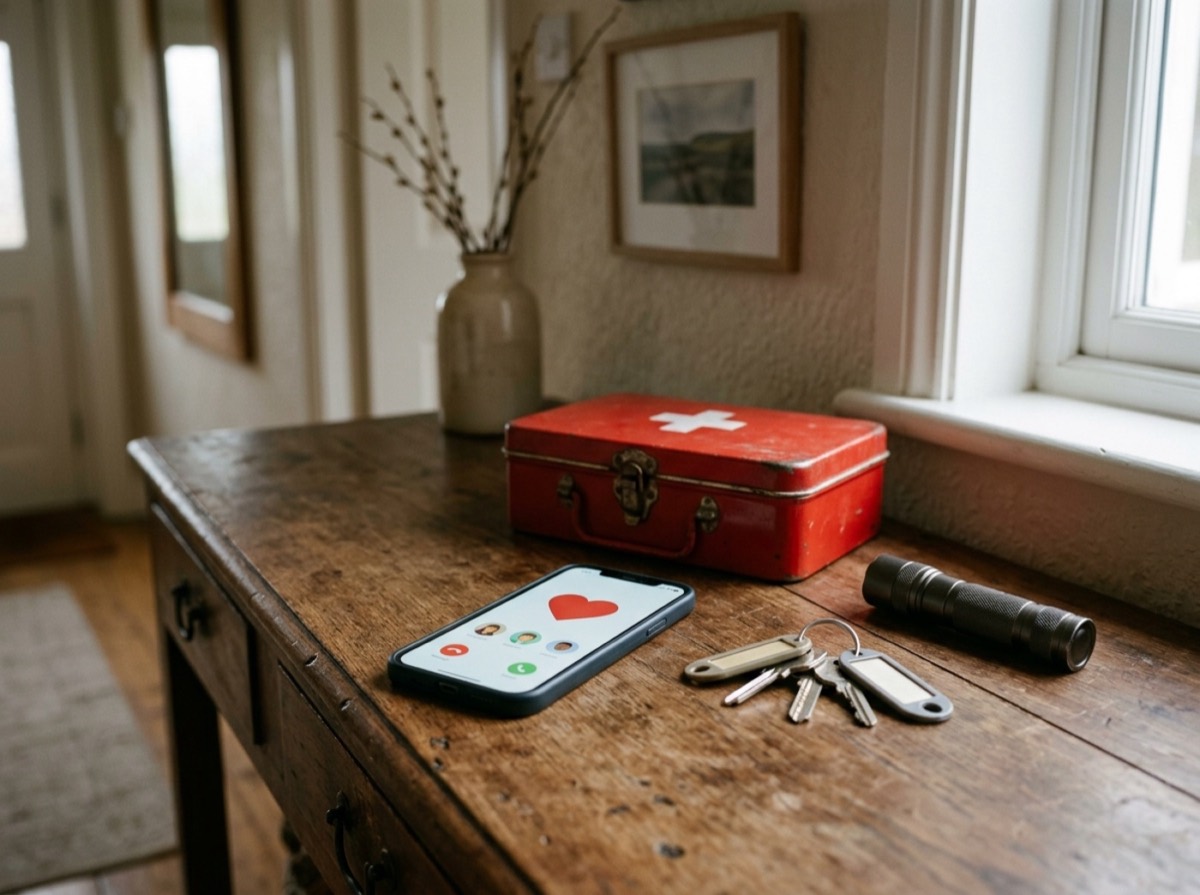
The best emergency contact app puts the right people and details in reach when something goes wrong, so nobody has to scroll through hundreds of contacts for the plumber, the paediatrician or a neighbour with a spare key. Emergency contact apps tackle this in different ways. Some keep an organised in case of emergency (ICE) contact list. Others show a medical ID on your lock screen for responders, or send an SOS alert with your location to people you trust.
We chose these ICE apps and family safety apps by looking at what each one does in a real emergency, how quickly you can reach the information, whether it works offline, how it handles privacy and sharing, whether it runs on iPhone and Android, and what it costs to use properly. Every app listed is currently available. None of them replaces calling your local emergency number.
At a glance
#1 · Best for Families, carers and babysitter handovers
Listub Emergency Contacts
Organised household contacts, ready offline
Listub Emergency Contacts stores names, roles, relationships, phone numbers, emails, addresses, insurance policy numbers and notes, grouped into categories such as medical, family, utilities, school and neighbours. Entries stay readable in offline mode, and search and filters find the right person fast. You can share the list with a babysitter, partner or carer without handing over your whole address book, and data is encrypted in transit and at rest. It is an organiser, not a medical alert device, so it never dials or notifies anyone on its own.
- Categories for medical, family, utilities, school and more
- Offline access with automatic sync later
- Quick search and category filters
- Share with chosen people, revoke any time
- Encrypted in transit and at rest
- Platforms
- iOS, Android, macOS, Windows, Web
- Pricing
- Freemium, Premium adds sharing and multiple devices

#2 · Best for Every iPhone user, as a baseline
Apple Medical ID and Emergency SOS
Built-in essentials for iPhone owners
Every iPhone includes Medical ID in the Health app, where you list conditions, allergies, medications, blood type and ICE contacts that responders can see from the lock screen. Emergency SOS calls emergency services and then texts your emergency contacts your location, and it also works from Apple Watch. It is free and takes a few minutes to set up.
- Medical ID visible from the lock screen
- Emergency contacts linked to SOS
- Location sent to contacts after an SOS call
- Works with Apple Watch
- Platforms
- iOS, watchOS
- Pricing
- Free

#3 · Best for Android users who want built-in tools
Google Personal Safety
Android's own safety toolkit
Google's Personal Safety app stores your emergency information and contacts, and Emergency Sharing sends your live location to chosen contacts in a few taps. Safety Check starts sharing automatically if you do not respond to a timer. Emergency SOS can be triggered by pressing the power button several times.
- Emergency info and contacts
- Live location sharing with contacts
- Safety Check timer
- Emergency SOS from the power button
- Platforms
- Android (Pixel and supported devices)
- Pricing
- Free
#4 · Best for Families who want to know everyone got home
Life360
Family location sharing at scale
Life360 is the best-known family safety app. Family members share their location in a private circle and get alerts when someone arrives at or leaves a saved place such as home or school. Paid plans add driving safety features such as crash detection and extra emergency help.
- Private family circles
- Real-time location sharing
- Arrival and departure alerts
- Driving and emergency features on paid plans
- Platforms
- iOS, Android
- Pricing
- Freemium

#5 · Best for Getting help when you cannot call
Noonlight
Panic button with real dispatchers
Noonlight works on a hold-and-release button. If you let go and do not enter your PIN, a monitoring centre is alerted and can send help to your location. It suits walks home, dates and other moments where you feel uneasy.
- Hold-to-alert safety button
- PIN to cancel false alarms
- Professional monitoring centres
- Paid plans with a free trial
- Platforms
- iOS, Android
- Pricing
- Freemium
#6 · Best for Solo walkers and travellers
bSafe
SOS alerts to your own guardians
bSafe lets you build a network of guardians, the friends and family who get alerted when you press SOS. An alert sounds an alarm, shares your location and records audio and video. Follow Me lets guardians watch your route home in real time.
- SOS alert to chosen guardians
- Audio and video recording on alert
- Follow Me live route sharing
- Voice-activated alarm on Premium
- Platforms
- iOS, Android
- Pricing
- Freemium

#7 · Best for People with medical conditions
MyID
Medical profile responders can scan
MyID keeps a full medical profile with emergency contacts, conditions, allergies, medications and documents. The app can create a lock screen wallpaper with a QR code that responders scan to open your profile. The company also sells bracelets and stickers that link to the same record.
- Detailed medical and contact profile
- QR code lock screen wallpaper
- Optional bracelets and stickers
- Paid plan adds scan alerts and sharing
- Platforms
- iOS, Android, Web
- Pricing
- Freemium

#8 · Best for Android users outside Google's safety app
Medical ID
Lock screen medical card for Android
Medical ID shows your conditions, allergies, medications, blood type and ICE contacts on the lock screen, so a responder can read them without unlocking the phone. It can also send an SMS alert with your position and supports several profiles for a household.
- Medical details on the lock screen
- ICE contacts without unlocking
- SMS alert with location
- Multiple profiles on Premium
- Platforms
- Android
- Pricing
- Freemium
#9 · Best for Older relatives and their families
My SOS Family
Alerts that reach any phone
My SOS Family sends an emergency alert to your contacts by call, text, email and app notification at the same time, and they do not need the app. It also offers daily check-ins and a timer that raises an alert from the cloud if you do not cancel it. It runs on phones, watches and smart speakers.
- One-tap alerts by call, text and email
- Daily check-ins
- Cloud-based SOS timer
- Works with smart speakers and watches
- Platforms
- iOS, Android, watchOS, Wear OS, Alexa
- Pricing
- Free trial, then paid

#10 · Best for Seniors and anyone living alone
Snug Safety
Daily check-ins for people living alone
Snug asks you to check in once a day at a time you choose. If you miss it, your emergency contacts get a text. A paid plan adds more check-in times and a dispatcher who calls you first and can arrange a wellness check.
- Daily check-in with reminders
- Text alerts to contacts on a missed check-in
- Dispatcher follow-up on paid plan
- Multiple check-ins on paid plan
- Platforms
- iOS, Android
- Pricing
- Freemium
How to choose
First decide what you need. If you want an organised list of emergency contacts for the whole household, choose an app with categories, search and sharing with a partner or babysitter. If your concern is being unable to speak for yourself, a medical ID app that shows details on the lock screen matters most. If you walk alone, travel or live alone, look at an SOS alert app, location sharing or daily check-in service.
Then check the practical details. Emergency information should open fast and stay readable offline. Sharing should be limited to people you pick, and you should be able to revoke access. Look at which features in a family safety app sit behind a subscription, since live monitoring and dispatch usually cost money. Many people end up using two tools: an emergency contact list plus their phone's built-in SOS and medical ID.
Frequently asked questions
What is the best free emergency contact app?
+
Start with what your phone already has: Medical ID and Emergency SOS on iPhone, and Google's Personal Safety app or your phone's emergency information settings on Android. For an organised list of household contacts, Listub Emergency Contacts has a free plan. Medical ID for Android, MyID and Snug also have free tiers.
How do I set up ICE contacts on my iPhone?
+
Open the Health app, tap your profile picture, choose Medical ID and tap Edit. Add your emergency contacts and medical details, then turn on Show When Locked so responders can see them from the lock screen. The same contacts are messaged with your location after an Emergency SOS call.
How do I add emergency information on Android?
+
On Pixel and many other Android phones, use the Personal Safety app or the Safety and emergency section in Settings to add medical information and emergency contacts. The exact menu names vary by phone maker. Once saved, the details can be viewed from the lock screen.
Which emergency contact app works offline?
+
Listub Emergency Contacts keeps entries readable when you have no connection and syncs edits once you are back online. Apple Medical ID and Android emergency information are stored on the phone itself. Sending alerts, sharing location or calling still needs a mobile signal.
Can I share emergency contacts with a babysitter or family member?
+
Yes. Listub lets you share an emergency contact list with specific people, such as a babysitter, partner or carer, without sharing your whole address book, and you can remove their access at any time. Family safety apps like Life360 share location within a family circle instead of contact lists.
What is the best alternative to Life360?
+
It depends on what you use Life360 for. Google Personal Safety offers free live location sharing in an emergency on supported Android phones, while bSafe and Noonlight focus on SOS alerts. If you mainly need your household's important contacts in one place, Listub Emergency Contacts covers that, though it does not track location.
Is there an app that alerts my contacts if I miss a check-in?
+
Snug Safety texts your emergency contacts if you miss your daily check-in, and My SOS Family offers daily check-ins and a cloud-based SOS timer. On Android, Google's Safety Check starts emergency sharing if you do not respond when a timer ends.
Do emergency contact apps call 911 for me?
+
Not all of them. Apple Emergency SOS and Android Emergency SOS call emergency services, and Noonlight alerts a monitoring centre that can send help. Contact organisers like Listub Emergency Contacts never dial or notify anyone automatically, so always call your local emergency number yourself when you can.
Set up your emergency information before you need it. Listub Emergency Contacts is a good home for the ICE contacts and numbers your household relies on, organised by category, readable offline and shared only with the people you invite, on iPhone, Android, Mac, Windows and the web. Pair it with your phone's built-in medical ID and SOS features, and add a family safety or check-in app if you live alone or travel often. Fifteen minutes of setup now can save real time later.
How we research: We compare each product on the same criteria, using makers’ documentation, independent reviews and owner feedback, and re-check the list when products change.
Written by
Bitezine Editorial Team
Rankings, reviews & guides
Our editors research every piece from makers’ documentation, independent tests and owner reports, and update it when products change.