Review · Tech
Synology DS225+ review: the DS224+ successor adds 2.5GbE, not much else
Synology's DS225+ replaces the DS224+ with a 2.5GbE port but keeps the same ageing Celeron. Here is who should still buy this quiet two-bay NAS in 2026.
 Bitezine Editorial TeamRankings, reviews & guides 8 min read
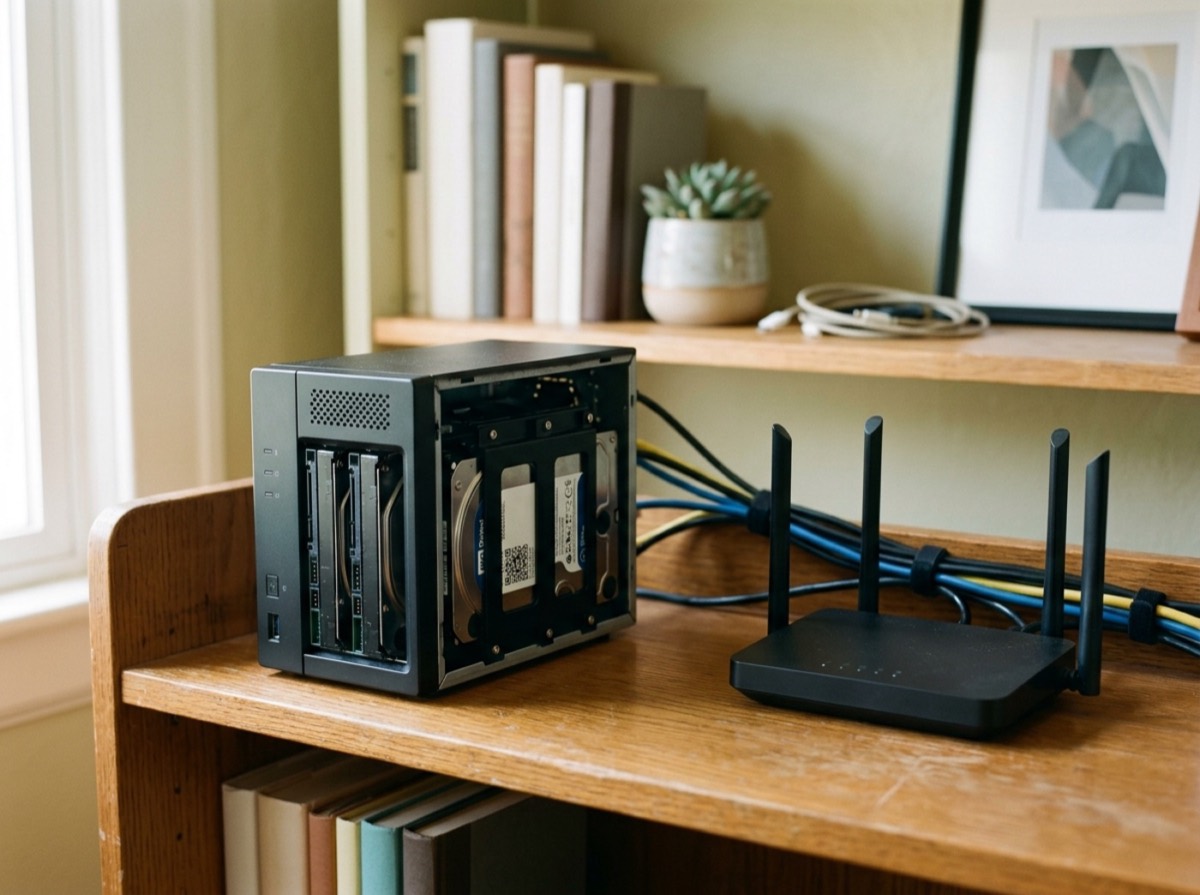 AI generated
 NAS drive · Mid-range
Synology DiskStation DS225+
The DS225+ offers Synology's excellent DSM software in a quiet, efficient box with welcome 2.5GbE, but its 2019-era processor, small memory ceiling and drive policy history make rivals worth a look.
What we like
- +DSM is one of the most polished NAS operating systems
- +Free backup, sync and photo apps included
- +New 2.5GbE port alongside 1GbE
- +Intel graphics help with light media transcoding
- +Low power use and quiet operation
- +Third-party hard drives usable again since DSM 7.3
What could be better
- −Same Celeron J4125 as the DS224+
- −Only 2GB RAM, 6GB maximum
- −No M.2 slots or PCIe expansion
- −M.2 and memory upgrades tied to Synology parts
- −Launched with a strict Synology-only drive policy
Best for: Home users and small offices who want easy, reliable backups and file sharing
Visit Synology →The Synology DS224+ was one of the most recommended two-bay NAS drives for homes and small offices. In 2025 Synology refreshed it as the DS225+, and the DS224+ has since disappeared from Synology's product pages. If you came here for a Synology DS224+ review, this review of the DS225+ covers the model you can buy now and what changed.
It is based on Synology's specifications, independent reviews and owner reports. In short, the DS225+ is almost the same machine as the DS224+ with one important upgrade, a 2.5GbE port, and one big controversy that has now mostly been resolved: drive compatibility.
Design and hardware
The DS225+ is a compact desktop box measuring about 165 x 108 x 232mm and weighing around 1.3kg. Two front bays take 3.5-inch hard drives or 2.5-inch SSDs, and a single 92mm fan cools the unit. Independent testing recorded around 20 dB(A) at idle, quiet enough for a home office or living room.
Inside is the Intel Celeron J4125, a quad-core chip first launched in 2019 and also used in the DS224+. It is adequate for file sharing, backups and a few apps, but reviewers note it is well behind the newer processors in many rival NAS units. Memory is 2GB soldered, with one slot to reach 6GB, and Synology only officially supports its own memory module.
There are no M.2 slots, no PCIe slot and no support for Synology expansion units, so what you buy is what you get. Two USB 3.2 Gen 1 ports on the back handle external drives or a UPS.
DS225+ vs DS224+: what changed
The only significant hardware difference is networking. The DS224+ had two 1GbE ports, while the DS225+ swaps one for a 2.5GbE port. With a 2.5GbE switch or computer, independent tests measured transfers of roughly 280 to 290MB/s, compared with about 110MB/s over standard gigabit. If your network is gigabit-only, the two models perform almost the same.
- Same Celeron J4125 processor
- Same 2GB RAM, 6GB maximum
- DS225+ adds a 2.5GbE port
- DS225+ launched with stricter drive rules, since relaxed for hard drives
Synology DS225+ third-party drives: the compatibility story
When Synology launched its 2025 Plus models, including the DS225+, it required Synology-branded drives for full functionality. Using popular NAS drives from other makers could block features such as pool creation, which drew heavy criticism from reviewers and customers.
With DSM 7.3 in October 2025, Synology reversed that policy for hard drives, so third-party HDDs can be used again. M.2 SSDs remain restricted to Synology's own brand, which matters on models like the DS725+ but not on the DS225+, since it has no M.2 slots. Before buying, check Synology's current compatibility list and make sure your unit is updated to the latest DSM.
DSM software and apps
Software is the main reason to choose Synology. DSM is polished and beginner-friendly, and the DS225+ includes license-free apps such as Active Backup for Business for PCs and servers, Hyper Backup for cloud and off-site copies, Snapshot Replication for quick restore points, Synology Drive for file sync, Synology Photos with facial recognition, and Surveillance Station for IP cameras.
Btrfs snapshots help recover from accidental deletion or ransomware, and Synology Hybrid RAID makes it easy to start with one drive and add a second for redundancy. Container Manager and Virtual Machine Manager are available, but the processor and memory limit how much you can run at once. Reviewers recommend upgrading the RAM if you plan to use photo recognition or several apps.
Performance, media and power use
The J4125's integrated graphics can speed up video transcoding for media servers such as Plex or Jellyfin, and testers found it handled one or two 1080p streams. It is not meant for heavy 4K transcoding. Under moderate workloads such as camera recording and sync, CPU use can climb quickly, leaving little headroom.
Power efficiency is a strength. Independent testing measured about 17W during access and about 6W with drives hibernating, which keeps running costs low for a device that is on all the time.
Who should buy the Synology DS225+?
Buy the DS225+ if you want a reliable, low-maintenance NAS for family photo backups, PC backups and shared folders, and you value software polish over raw hardware. It is also a sensible choice if you already use Synology and know DSM. If you want to run many containers, virtual machines or heavy media transcoding, consider a model with a newer processor and more memory, or a rival brand with more expansion.
A good starting setup for most homes is two identical hard drives in SHR or RAID 1, Synology Photos for phone backups, Active Backup or Synology Drive for computers, and Hyper Backup sending an encrypted copy to a cloud service or a USB drive stored elsewhere. That covers drive failure, accidental deletion and local disasters, which is the main point of owning a NAS.
Key specs
- Processor
- Intel Celeron J4125, 4 cores, 4 threads, 2.0 to 2.7GHz, UHD 600 graphics
- Memory
- 2GB DDR4 onboard, one slot, up to 6GB
- Drive bays
- 2 x 3.5-inch SATA HDD or 2.5-inch SATA SSD
- Network
- 1 x 2.5GbE, 1 x 1GbE RJ-45
- USB
- 2 x USB 3.2 Gen 1
- RAID / file system
- SHR, Basic, JBOD, RAID 0, RAID 1; Btrfs and ext4
- Size / weight
- 165 x 108 x 232.2mm; about 1.3kg
- Software
- Synology DSM (7.3 at time of writing)
Alternatives to consider
- Synology DS725+: A step-up two-bay Synology with an AMD Ryzen R1600 processor and two M.2 NVMe slots.
- UGREEN NASync DXP2800: A two-bay NAS with a newer Intel N100 chip and M.2 slots.
- QNAP TS-264: Two bays with M.2 slots, 2.5GbE and PCIe expansion for more flexibility.
Frequently asked questions
Is the Synology DS224+ discontinued?
+
Synology released the DS225+ in 2025 as its refresh, and the DS224+ no longer appears on Synology's product pages. Some shops may still sell remaining stock.
What is the difference between the DS225+ and DS224+?
+
They share the same Celeron J4125 processor, 2GB RAM and two bays. The DS225+ replaces one of the two 1GbE ports with a 2.5GbE port, which allows much faster transfers on a compatible network.
Can I use WD Red or Seagate IronWolf drives in the DS225+?
+
Since DSM 7.3, released in October 2025, Synology again allows third-party hard drives in its 2025 models. Update to the latest DSM and check Synology's compatibility list before buying. M.2 SSDs are still limited to Synology's own brand.
Is the Synology DS225+ good for Plex?
+
It is fine for light Plex use. The Intel UHD 600 graphics help transcode one or two 1080p streams, but it is not built for heavy 4K transcoding or many users at once.
How much RAM can the DS225+ have?
+
It ships with 2GB soldered and has one slot, for a maximum of 6GB. Synology officially supports only its own 4GB module for the upgrade.
Is a 2-bay NAS enough for home backup?
+
For most households, yes. Two drives in RAID 1 or SHR give you a copy if one drive fails, but you should still keep an off-site or cloud backup, for example using Hyper Backup.
The Synology DS225+ is a safe, easy NAS for people who want their data backed up without tinkering. Its 2.5GbE port is a real improvement over the DS224+, and DSM remains a highlight. The ageing processor and limited expansion hold it back, though, so power users should compare newer rivals before deciding.
How we research: Reviews are based on the maker’s specifications, published independent tests and owner reports. Scores compare the product with others in its class.
Written by
Bitezine Editorial Team
Rankings, reviews & guides
Our editors research every piece from makers’ documentation, independent tests and owner reports, and update it when products change.