Review · Apps
Listub Magnet Notes review: a digital fridge door for quick reminders
Listub Magnet Notes turns sticky notes into a colourful drag-and-drop board that works offline. Here is what it does well and what it still lacks.
 Bitezine Editorial TeamRankings, reviews & guides 6 min read
 AI generated
 App · Freemium
Listub Magnet Notes
Listub Magnet Notes is a charming, easy sticky notes board for household reminders and quick ideas, but it has no home screen widget yet, which is what many sticky note fans look for first.
What we like
- +Drag-and-drop board that works like fridge magnets
- +Five colours for sorting by urgency, person or topic
- +Handwritten-style type and smooth animations
- +Everything visible at a glance when you open the board
- +Offline-first, with background sync on paid plans
- +Board, colours, layout and offline use are free
What could be better
- −No home screen widget at the moment
- −Deliberately small cards, not for long notes
- −Sharing your own board needs Premium or Family
- −No web or Windows app; iOS, Android and macOS only
Best for: Households that want a shared digital fridge door
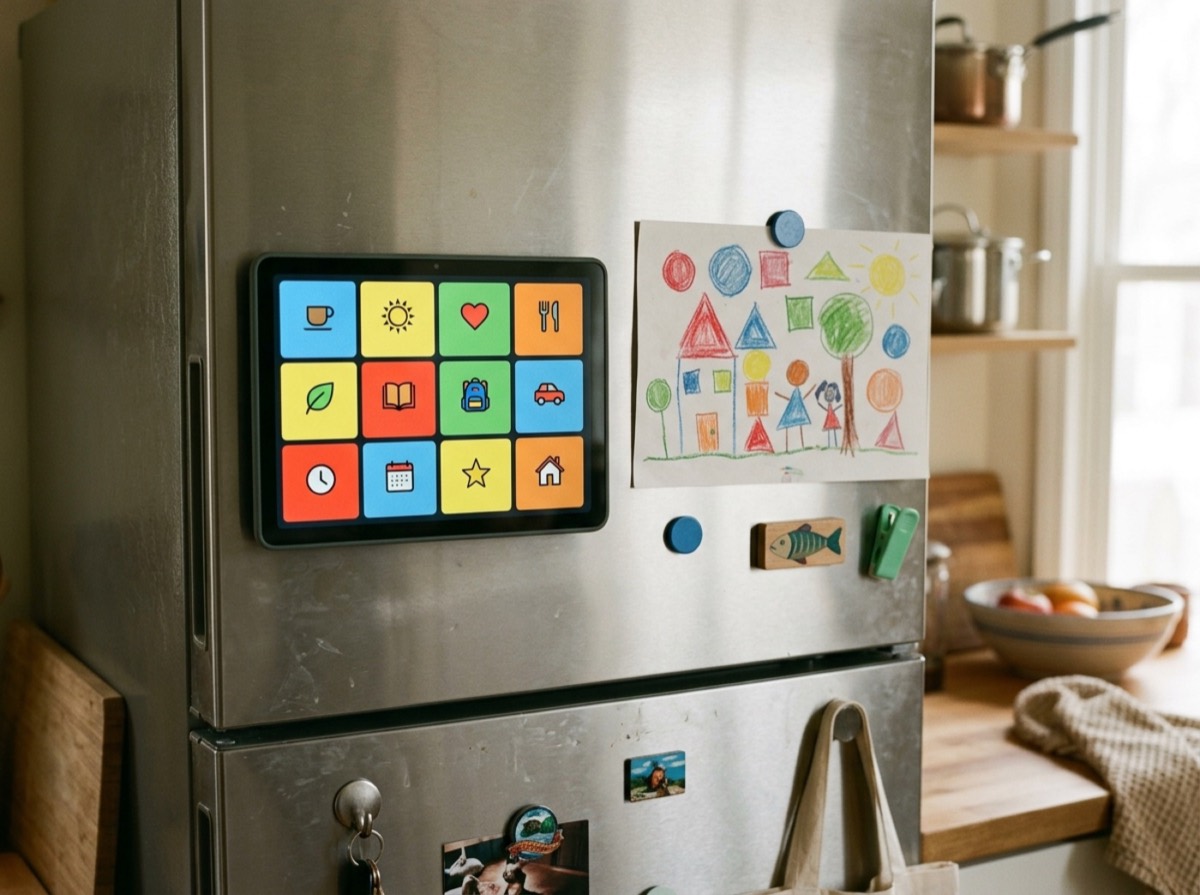
Visit Galveo GmbH →Some reminders are too small for a task and too important to bury in a long note. A sticky notes app gives them a place to live, and Listub Magnet Notes takes the idea literally: each note behaves like a fridge magnet on a board you can drag, recolour and rearrange. It is one of the three original modules in Listub, the all-in-one organiser from Cologne-based Galveo, alongside the Shopping List and Task Manager.
This review is based on Listub's own module page, plan information and guides rather than hands-on testing. We look at the board, colours and style, sharing, offline use, the missing widget and whether Magnet Notes is worth using in 2026.
What is Listub Magnet Notes?
Magnet Notes is a notes board. Instead of a list of documents, you see a surface of short cards that you can move around, so the layout carries meaning: urgent notes up top, finished ones pushed to a corner. Everything on the board is readable as soon as you open it, which is the whole point of a sticky note.
Listub keeps each card small on purpose. The module is meant for the parking spot, the wifi code, the birthday gift idea or the reminder about who picks up the kids, not for structured writing. For longer notes, Listub has a separate module, Note Base.
Design: colours, handwriting and animations
Five colours let you group notes by urgency, person or topic, so you can scan the board rather than read every card. Casual, handwritten-style typography makes the board feel like something scribbled on the fridge rather than filed away, and notes lift, drop and settle with smooth animations, which makes tidying the board quick enough that people actually do it.
Removing a note you no longer need takes one tap. That matters more than it sounds, because digital boards tend to fill up with stale reminders when clearing them is a chore.
- Drag notes anywhere on the board
- Five colours for fast visual grouping
- Handwritten-style font
- One-tap removal of finished notes
- Smooth lift-and-drop animations
Everyday uses: home board, ideas and work focus
Listub suggests three typical boards. A home board replaces the note on the kitchen table: chores, pick-ups and reminders everyone in the household can read. A shopping ideas board holds things that are not yet a list, such as a brand someone mentioned or a present idea. A work focus board keeps the two or three priorities for today in front of you and pushes everything else to the edge.
Students can also use it for revision snippets, and Galveo AI can create notes from requests like 'pick up the kids at 3' or 'buy a gift for Sara'. You confirm what Galveo AI prepares before it is saved.
Is there a Magnet Notes widget?
Not yet. Listub states plainly that it does not currently ship a home screen widget, so your notes are one tap away inside the app rather than on the home screen itself. For some users this is the main drawback, since a widget is what many people expect from a sticky notes app on iPhone or Android.
Listub's answer for now is speed: the board opens quickly and every note is readable at a glance. If a home screen widget is essential to you, keep that limitation in mind.
Sharing, offline use and pricing
Magnet Notes is offline-first. You can write a note with no signal, and changes queue and merge in the background when you reconnect. Syncing the same board across a phone and a Mac, and sharing a board with your household, need Premium or Family, because the free plan is limited to one device and does not include sharing your own rooms. Free users can still join a board that a paying member shares.
The board, the colours, the drag layout and offline use are all free. Premium adds sharing, three devices and up to 50 rooms as owner; Family adds three extra members and up to 20 devices. Both are budget-priced subscriptions with launch pricing locked in for early subscribers.
Who should use Magnet Notes?
Magnet Notes suits families who want a shared digital fridge door, people who like to keep a short list of priorities visible, and anyone who captures ideas before they are ready for a proper note. It works best as part of Listub, where a note can later become a task, a list item or a Note Base entry in the same app.
If you need a home screen widget, long-form notes or a Windows or web app, Magnet Notes is not the right fit today.
Key specs
- Platforms
- iPhone and iPad, Android, macOS
- Format
- Short note cards on a drag-and-drop board
- Colours
- Five
- Style
- Handwritten-style typography with animations
- Home screen widget
- Not available yet
- Offline
- Yes, changes queue and merge later
- Sharing
- Shared rooms on Premium and Family
- Price
- Free plan; paid plans for sharing and multi-device
Frequently asked questions
Is Listub Magnet Notes free?
+
Yes. The board, the five colours, the drag-and-drop layout and offline use are on the free plan. Premium or Family is needed to share your own boards and use them on several devices.
Does Listub Magnet Notes have a home screen widget?
+
No, not at the moment. Listub says it does not ship a home screen widget today; the board opens with one tap and shows every note at a glance.
Can I share sticky notes with my family?
+
Yes, with Premium or Family you can invite household members to a board and everyone sees the same notes. Free users can join a board that a paying member shares with them.
Does Magnet Notes work on Android and iPhone?
+
Yes. It runs on Android phones and tablets, iPhone and iPad, and on Mac through the Mac App Store. There is no Windows or web version.
Does Listub Magnet Notes work offline?
+
Yes. You can create and move notes without a connection, and changes sync in the background once you are online again.
What is the difference between Magnet Notes and Note Base in Listub?
+
Magnet Notes is a glanceable board of short, colourful cards for quick reminders. Note Base is for longer notes with headings, lists, highlights, tags and search.
Listub Magnet Notes is a pleasant, simple take on digital sticky notes: a colourful board you can rearrange, read at a glance and use offline, with sharing for households on paid plans. The missing home screen widget is its clearest gap, and it is not meant for long notes. If you want a shared fridge door for your family on iPhone, Android or Mac, and like the idea of having it next to your lists and tasks, Magnet Notes is well worth a try on the free plan.
How we research: Reviews are based on the maker’s specifications, published independent tests and owner reports. Scores compare the product with others in its class.
Written by
Bitezine Editorial Team
Rankings, reviews & guides
Our editors research every piece from makers’ documentation, independent tests and owner reports, and update it when products change.