Review · Apps
Listub Emergency Contacts review: the household numbers that matter, organised and shareable
Listub Emergency Contacts keeps doctors, insurers, school and family contacts sorted, readable offline and shareable with carers. What it does, and what it deliberately does not.
 Bitezine Editorial TeamRankings, reviews & guides 6 min read
 AI generated
 App · Freemium
Listub Emergency Contacts
Listub Emergency Contacts is a tidy, private and shareable record of the numbers and details a household needs in a hurry, as long as you understand it is an organiser and not an alert or lock screen tool.
What we like
- +Rich contact entries with roles, policy numbers, addresses and notes
- +Categories and search find the right person quickly
- +Entries you have opened stay readable offline
- +Share one list with a babysitter or carer and revoke access any time
- +Data encrypted in transit and at rest
- +Contacts, categories, notes and search are free
What could be better
- −Does not appear on the lock screen
- −Never dials or alerts anyone, so it is no substitute for a medical alert device
- −Sharing your own rooms requires Premium
- −Only on iOS, Android and macOS
Best for: Families, carers and babysitter handovers
Visit Galveo GmbH →When something goes wrong at home, the hard part is often not calling for help but finding the right number: the paediatrician, the insurance line, the neighbour with the spare key. Listub Emergency Contacts is a module in Listub, the all-in-one organiser from Cologne-based Galveo, that keeps those details in one labelled, searchable place you can share with the people who look after your family.
This Listub Emergency Contacts review is based on the developer's published feature descriptions and plan details rather than hands-on testing. We explain what you can store, how offline access and sharing work, how data is protected and, importantly, what the module is not designed to do.
What is Listub Emergency Contacts?
Emergency Contacts is a structured contact list for the numbers that matter in a crisis or a busy week. Each entry can hold a name, role, relationship, phone numbers, emails, addresses, policy identifiers and free notes, so the context sits next to the number instead of in an old email.
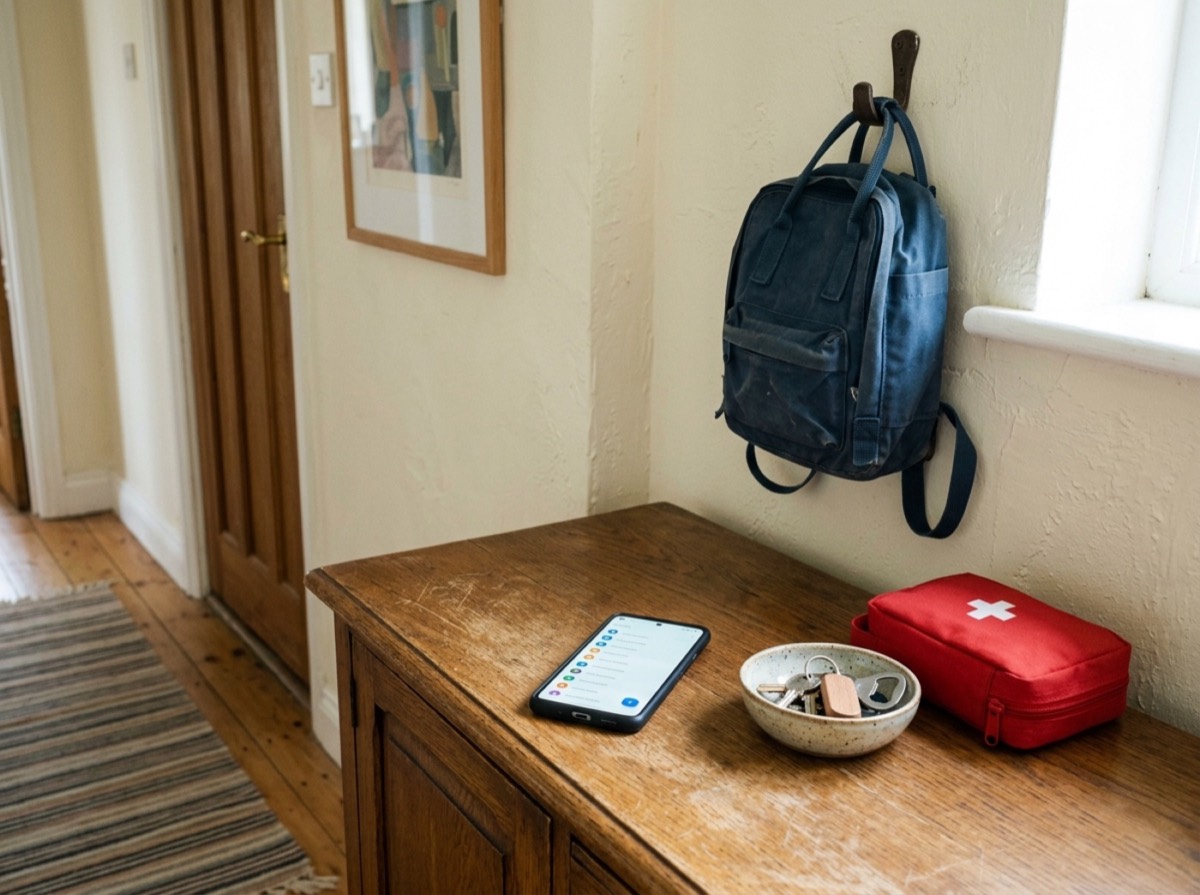
You can also use it as a private medical information record, adding details such as allergies, blood group, insurance IDs or special instructions. Listub is clear that this record is for you and the people you share it with. It is not shown on your lock screen and responders cannot open it.
Key features
The module is built around speed of lookup. Contacts are grouped the way people actually search for them, and filters and search put the right entry on screen quickly, which matters when you are stressed.
- Categories for medical, family, utilities, school, neighbours and local services
- Detailed entries with policy numbers, addresses and notes
- Search and category filters
- Offline reading of entries you have opened
- Sharing with chosen people without exposing your whole address book
- Add entries by asking Galveo AI, for example 'add my doctor's number'
Offline access, sharing and security
Entries you have opened stay readable when the connection drops, which is useful when travelling or in buildings with poor signal. Edits sync automatically once you are back online.
Sharing is where the module becomes a household tool. You can give a babysitter, partner or sibling who helps with elderly parents the same list, and everyone in the room sees one up-to-date version. Listub says data is encrypted in transit and at rest, access is limited to your account and the people you invite, and you can withdraw access at any time. Sharing your own rooms requires Premium, but invited people can join on the free plan.
Limits: no lock screen, no calling, no alerts
Listub states plainly that Emergency Contacts never dials, never notifies anyone and does not contact emergency services. In an emergency you call your country's emergency number yourself. It also does not place information on the lock screen. Your phone's built-in emergency card, set up in system settings, is what paramedics are trained to check, so set that up too and treat Listub as the fuller record behind it.
We think this honesty is a strength, but it means people looking for fall detection, SOS buttons or automatic alerts need a dedicated safety device or service instead.
Who is Listub Emergency Contacts for?
It suits households that want the doctor, relatives, school office, pharmacy and plumber in one room everyone at home can open. It is especially handy for parents preparing a contact list for kids, babysitters or a child's first phone, for siblings sharing elderly care, and for travellers who want embassy, insurance and roadside assistance numbers saved before they leave.
How to set up a household emergency contact list in Listub
Based on how the module is described, a sensible setup takes only a few minutes and pays off for years. Keeping the list in one shared room means updates, such as a new family doctor or a changed insurance policy, reach everyone at once instead of living in several outdated copies.
- Create an Emergency Contacts room for the household
- Add medical contacts first: family doctor, paediatrician, specialists, pharmacy and insurance line with policy numbers
- Add family and neighbours, including who holds a spare key
- Add utilities, school office and local services such as a plumber or roadside assistance
- Use notes for context like allergies, blood group, which entrance to use or the ward to ask for
- Open the entries once so they stay readable offline, then invite a partner, babysitter or carer
- Set up your phone's built-in emergency card separately for lock screen access
Is it free? Pricing and value
Contacts, categories, notes and search are all on Listub's free Basic plan, which runs on one device. Premium, a budget-priced subscription, adds multi-device sync and sharing your own rooms, and the Family plan adds several members. For a household that wants to share a single list with a carer, one Premium account is enough.
Key specs
- Module type
- Emergency and household contact organiser
- Contact fields
- Name, role, relation, phones, emails, addresses, policy IDs, notes
- Categories
- Medical, family, utilities, school, neighbours, local services
- Offline
- Opened entries readable offline, edits sync later
- Security
- Encrypted in transit and at rest
- Free plan
- Contacts, categories, notes and search
- Platforms
- iOS (iPhone and iPad), Android, macOS
Frequently asked questions
Does Listub Emergency Contacts call emergency services?
+
No. It never dials or notifies anyone and is not a medical alert device. In an emergency, call your local emergency number directly.
Can Listub show emergency contacts on my lock screen?
+
No. Use your phone's built-in emergency card in system settings for lock screen information. Listub is the more detailed record for you and the people you share it with.
Does it work offline?
+
Yes. Entries you have opened stay readable without a connection, and edits sync automatically when you are back online.
How secure is my information?
+
Listub says data is encrypted in transit and at rest. Only your account and the people you invite can access it, and you can revoke access at any time.
Can I share the list with a babysitter?
+
Yes. Invite the babysitter into the room so they see the same list. The room owner needs Premium, while the babysitter can join with a free account.
Is Listub Emergency Contacts free?
+
Yes. Contacts, categories, notes and search are included on the free plan. Premium adds sharing your own rooms and multiple devices.
Listub Emergency Contacts is a sensible, well-scoped module: detailed entries, quick filters, offline reading, encrypted storage and easy sharing with the people who care for your family. It does not call, alert or appear on the lock screen, and Listub says so clearly. Used alongside your phone's own emergency card, it is a reliable, mostly free way to make sure the right number is always a few taps away.
How we research: Reviews are based on the maker’s specifications, published independent tests and owner reports. Scores compare the product with others in its class.
Written by
Bitezine Editorial Team
Rankings, reviews & guides
Our editors research every piece from makers’ documentation, independent tests and owner reports, and update it when products change.