Review · Business
Brother QL-820NWB review: a fast, well-connected label printer for busy offices
The Brother QL-820NWB prints up to 110 labels a minute, adds red and black printing, and connects via USB, LAN, Wi-Fi and Bluetooth. Here is who it suits.
 Bitezine Editorial TeamRankings, reviews & guides 7 min read
 AI generated
 Label printer · Mid-range
Brother QL-820NWB (sold as QL-820NWBc in Europe)
One of the most versatile desktop label printers for small offices, fast and easy to share across a team, as long as labels up to 62 mm wide are enough for you.
What we like
- +Fast: up to 110 labels per minute, per Brother
- +USB, Ethernet, Wi-Fi, Wi-Fi Direct and Bluetooth, plus AirPrint
- +Red and black printing on special DK rolls
- +Backlit display for printing stored templates without a computer
- +Optional battery pack for mobile use
- +No chipped-label lock-in: compatible DK rolls are widely available
What could be better
- −Maximum label width 62 mm, so no 4x6 inch parcel labels
- −Genuine DK rolls cost more than generic labels
- −Battery pack is an extra purchase
- −Brother's German spec sheet lists Windows only; Mac users rely on AirPrint or separate drivers
- −Larger and heavier than basic USB-only label printers
Best for: Shared office, reception and retail labelling
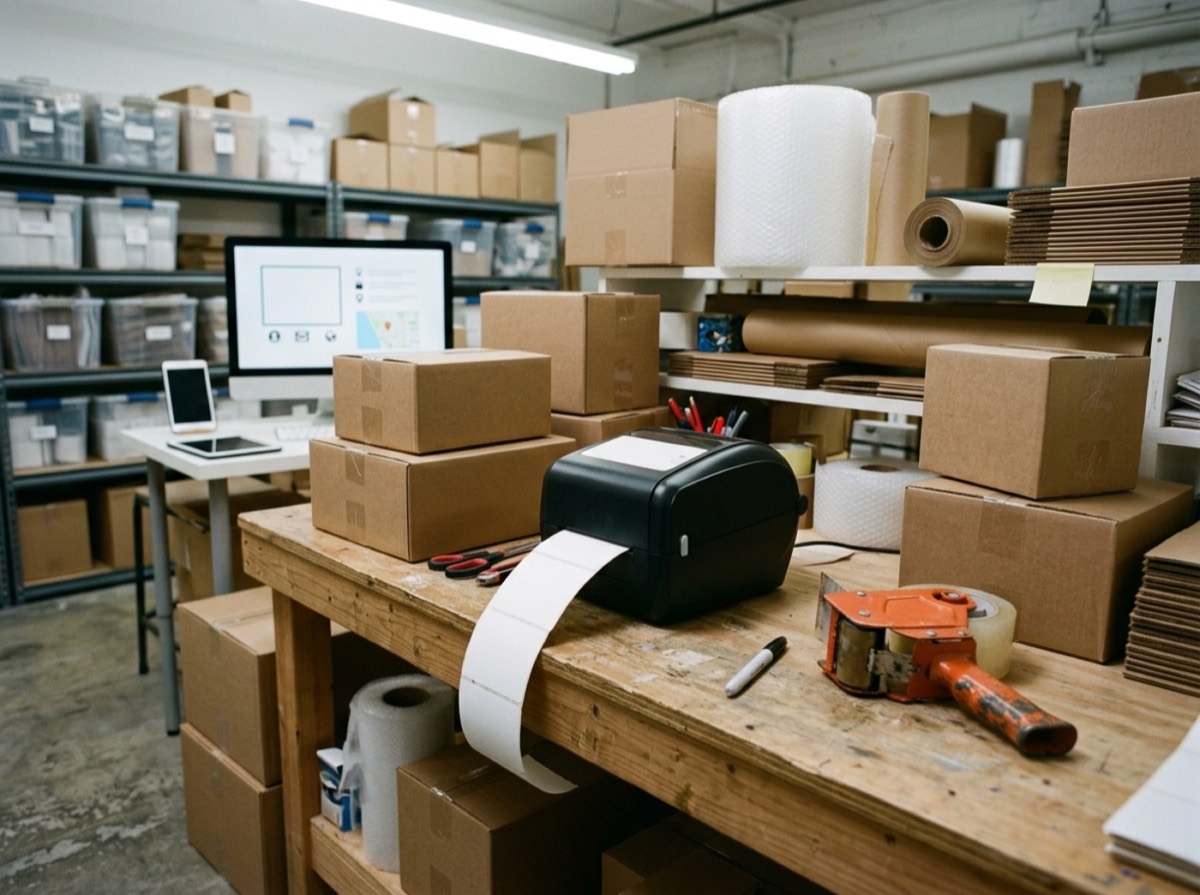
Visit Brother →This Brother QL-820NWB review covers Brother's top model in the QL-800 series, a desktop label printer made for offices, reception desks, shops, warehouses and clinics. In Europe it is sold as the QL-820NWBc. Its selling points are speed, a very wide range of connections and the ability to print in red and black.
We have not tested the printer hands-on. This review is based on Brother's official specifications and product information, published label and software details, and common owner feedback. We cover design, connectivity, print quality, running costs and how it compares with the DYMO LabelWriter 550.
Design and display
The QL-820NWB is a compact box that measures 125 x 234 x 145 mm and weighs about 1.16 kg. Labels feed from DK rolls that drop into the top, and an automatic cutter trims each label. It is larger than a basic USB label printer, but still fits easily on a desk or counter.
Its backlit graphic LCD with seven buttons sets it apart from simpler models. You can upload templates and databases from a PC, store up to 255 of them, and print them straight from the printer using the display, without opening a computer. That is handy at a reception desk or packing station.
Connectivity: USB, LAN, Wi-Fi and Bluetooth
Few label printers in this class connect as many ways. The QL-820NWB has USB 2.0, a 10/100 Ethernet port for sharing across an office network, Wi-Fi with Wi-Fi Direct, and Bluetooth. It supports AirPrint and Apple's MFi programme, so iPhones and iPads can print directly, and Brother's iPrint and Label app covers mobile devices.
Brother's German specifications list Windows 10 and 11 and several Windows Server versions, and point to Brother's support site for the full compatibility list. Mac users can print via AirPrint; check Brother's support pages for current macOS software before you buy. Developers get an SDK, and Brother's editor offers add-ins for Word, Excel and Outlook.
Print speed and quality
Brother rates the QL-820NWB at up to 110 labels per minute, or 176 mm per second, which is quick for a desktop model. Standard resolution is 300 x 300 dpi, with a 300 x 600 dpi high-resolution mode for small text and detailed barcodes. It prints common 1D codes as well as QR, Data Matrix and PDF417 codes.
Red and black printing is a useful extra. With the DK-22251 roll you can highlight warnings, prices or dates in red. It only works with that specific roll, so most everyday labels will still be black.
Labels, running costs and battery option
The printer uses Brother DK rolls: pre-cut labels such as address and file labels, round labels, and continuous rolls from 12 mm to 62 mm wide that you cut to any length. Direct thermal printing means no ink or toner. Genuine DK rolls cost more than generic labels, and third-party compatible rolls are widely sold, although quality varies.
The key limit is width. The QL-820NWB takes labels up to 62 mm wide, so it cannot print standard 4x6 inch (102 x 152 mm) parcel labels used by many carriers. If shipping labels are your main job, look at a wide-format model instead. In Germany, Brother does support printing Deutsche Post Internetmarke stamps on its label printers.
With the optional PA-BU-001 battery unit, the QL-820NWB can run away from a socket, for example at events, in a warehouse aisle or at a pop-up stand. Brother says the battery charges in about 2.5 hours and prints more than 4,000 black labels or more than 1,000 two-colour labels per charge.
Who the QL-820NWB is for
It suits small and mid-sized offices that want one shared label printer on the network, retailers and clinics that print price, specimen or product labels, and anyone who wants to print from phones and tablets. If you only print the odd address label from one computer, a cheaper USB-only model will do. If you ship lots of parcels, a 4-inch printer is the better tool.
Setup and everyday use
Setting up the QL-820NWB is straightforward. In the box you get the printer, power adapter and cable, a USB cable, a starter roll of 100 address labels and a short red and black continuous roll, so you can start printing immediately. For a single computer, a USB connection is enough; for a team, connect it to the office network by Ethernet or Wi-Fi and install the driver on each computer.
Brother's label design software supports serial numbering, date and time stamps, vertical text, frames and all installed TrueType fonts, and it can pull data from Microsoft Excel or Access to print batches such as name badges or product labels. The add-ins for Word, Excel and Outlook let you print an address label straight from a document or contact without opening a separate program.
Because templates can be stored in the printer, a shop or clinic can load a set of standard labels once and let staff print them from the display. For businesses that need to integrate label printing into their own systems, Brother's SDK is a real plus. In Germany, the printer can also print Deutsche Post Internetmarke stamps, which saves trips to the post office for small senders.
Brother QL-820NWB vs DYMO LabelWriter 550
The DYMO LabelWriter 550 is smaller and simpler, but connects only via USB, prints up to 62 labels per minute according to DYMO, and works only with chipped DYMO labels. The Brother is faster, far better connected, supports red printing and a battery, and does not lock you into chipped labels. The DYMO shows remaining labels automatically, which some offices like.
If you are choosing within Brother's own range, the QL-800 is a simpler USB-only model that also prints red and black, while the QL-1110NWB handles 4-inch shipping labels. The QL-820NWB is the best fit when network sharing and the display matter most.
Key specs
- Print method
- Direct thermal
- Speed
- Up to 110 labels per minute (176 mm/s)
- Resolution
- 300 x 300 dpi; 300 x 600 dpi high-resolution mode
- Max label width
- 62 mm (max print width about 61 mm)
- Connectivity
- USB 2.0, 10/100 Ethernet, Wi-Fi 802.11b/g/n, Wi-Fi Direct, Bluetooth, AirPrint, MFi
- Display
- Backlit 320 x 120 dot graphic LCD, 7 buttons
- Dimensions and weight
- 125 x 234 x 145 mm, 1.16 kg
- Power
- Mains adapter; optional PA-BU-001 Li-ion battery
Alternatives to consider
- DYMO LabelWriter 550: A simpler, compact USB label printer with automatic label recognition, but only works with DYMO labels.
- Brother QL-1110NWB: Brother's wide-format sibling that prints 4-inch shipping labels with similar connectivity.
- Zebra ZD421: A rugged 4-inch printer for heavy shipping and warehouse use.
Frequently asked questions
Is the Brother QL-820NWB worth it?
+
Yes, if you need a fast label printer that several people can use over the network or from phones. Its USB, LAN, Wi-Fi and Bluetooth connections, 110 labels-per-minute speed and red printing make it one of the most flexible desktop models. It is not the right choice for 4x6 inch shipping labels.
Can the Brother QL-820NWB print shipping labels?
+
It can print smaller shipping and address labels up to 62 mm wide. It cannot print standard 4x6 inch (102 x 152 mm) carrier labels; for those, choose a 4-inch printer such as the Brother QL-1110NWB.
Does the Brother QL-820NWB work with a Mac or iPhone?
+
It supports AirPrint and Apple MFi, so iPhones, iPads and Macs can print to it. Brother's German spec sheet lists Windows systems, so check Brother's support site for current macOS software.
What is the difference between QL-820NWB and QL-820NWBc?
+
The QL-820NWBc is the model name used in Europe, including Germany. It has the same core features: 110 labels per minute, red and black printing, USB, LAN, Wi-Fi and Bluetooth.
Does the Brother QL-820NWB need ink?
+
No. It uses direct thermal printing, so the only consumable is the DK label roll. Red printing requires the special DK-22251 roll.
Does the QL-820NWB have a battery?
+
Not built in, but Brother sells the optional PA-BU-001 lithium-ion battery. Brother says it prints more than 4,000 black labels per charge.
The Brother QL-820NWB, or QL-820NWBc in Europe, remains one of the best-connected desktop label printers you can buy in 2026. It is fast, easy to share, prints from phones and even adds red highlights and a battery option. Just make sure labels up to 62 mm wide cover your needs. If they do, it is a label printer your whole office can rely on.
How we research: Reviews are based on the maker’s specifications, published independent tests and owner reports. Scores compare the product with others in its class.
Written by
Bitezine Editorial Team
Rankings, reviews & guides
Our editors research every piece from makers’ documentation, independent tests and owner reports, and update it when products change.