Review · Business
Brother MFC-L3780CDW review: the colour laser all-in-one that replaced the L3770CDW
The MFC-L3770CDW has been succeeded by the faster, cheaper-to-run MFC-L3780CDW. Here is how the current model prints, scans and copes with office workloads.
 Bitezine Editorial TeamRankings, reviews & guides 8 min read
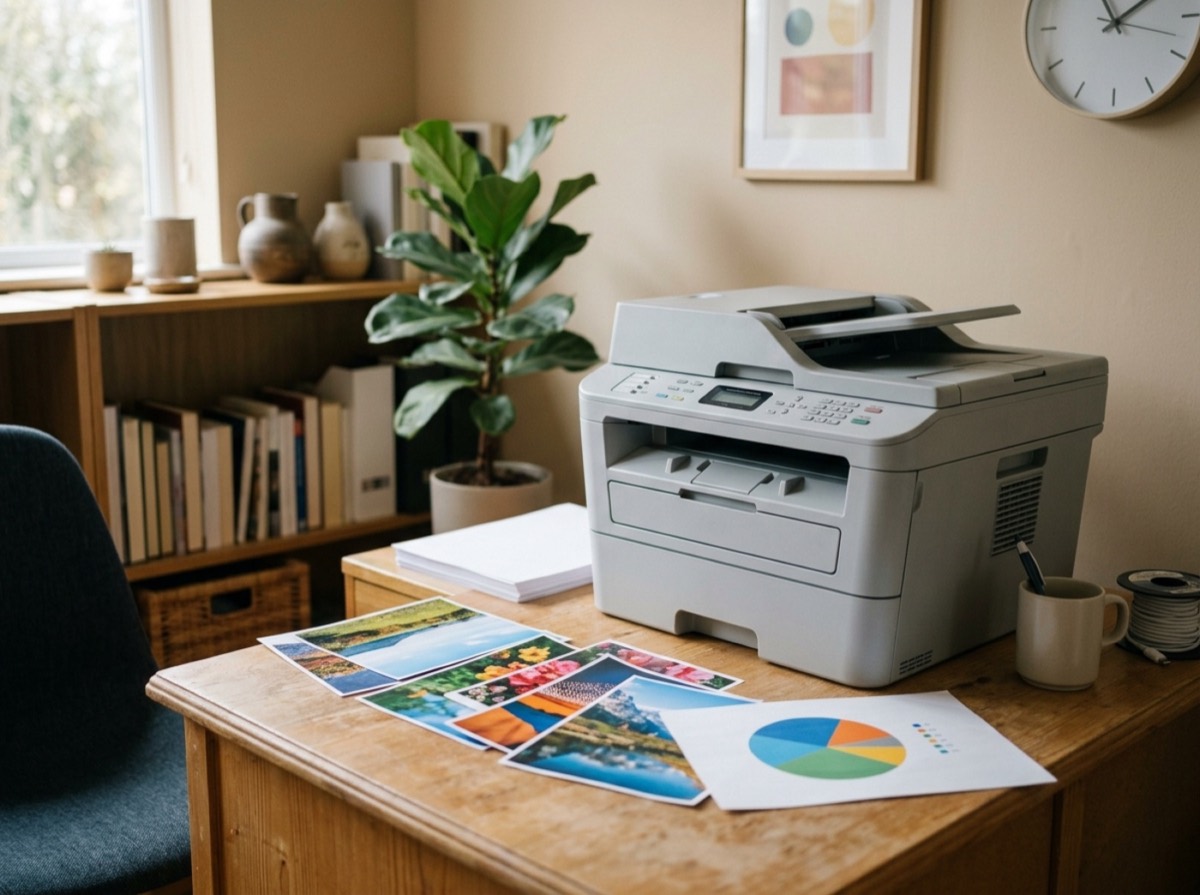 AI generated
 Colour laser all-in-one printer · Mid-range
Brother MFC-L3780CDW
The MFC-L3780CDW fixes the old L3770CDW's biggest weakness, colour running costs, and adds speed, making it one of the most sensible colour laser all-in-ones for a small office.
What we like
- +Rated at 31 pages per minute in black and colour
- +Much lower cost per colour page than the MFC-L3770CDW when using super-high-yield toner
- +50-sheet ADF with single-pass duplex scanning
- +Sharp text and clean business graphics in independent tests
- +Broad connectivity: Wi-Fi, Wi-Fi Direct, Ethernet, USB, NFC badge reader
- +Higher duty cycle than its predecessor
What could be better
- −Only a 30-sheet multipurpose tray
- −3.5-inch touchscreen is smaller than on some rivals
- −Photos look muted, as with most laser-class printers
- −Wireless printing noticeably slower than USB in one lab test
- −Heavy and needs generous clearance around it
Best for: Small offices that print, scan and copy every day
Visit Brother Industries →If you are searching for a Brother MFC-L3770CDW review in 2026, the first thing to know is that Brother has replaced it. The MFC-L3780CDW is the current colour laser all-in-one in that slot, and it keeps the same basic formula of print, copy, scan and fax in one box while fixing several of the older machine's weak points. So this review covers the MFC-L3780CDW and explains what changed.
Our assessment is based on Brother's specifications, published lab tests from PCMag, RTINGS and Digital Trends, and owner feedback. We look at print speed, running costs, scanning, setup and the model's limits, then compare it with the L3770CDW and key HP and Canon rivals.
MFC-L3780CDW vs MFC-L3770CDW: what is new?
The newer model looks similar, but the changes matter for a business. Rated speed rises from 25 to 31 pages per minute. The maximum monthly duty cycle climbs from 30,000 to 50,000 pages, and Brother's recommended monthly volume jumps from 1,500 to 4,000 pages. It also moves to a new TN229 toner family with standard, XL and XXL cartridges.
The biggest practical gain is running cost. PCMag's figures show the L3780CDW costing noticeably less per colour page than the L3770CDW when you buy the super-high-yield cartridges, which was the older printer's main complaint. RTINGS adds that the drum units in the new design do not expire prematurely, another point in its favour.
Design and paper handling
This is a sizeable machine at roughly 40 by 46 by 41 cm and just under 22 kg. Brother also recommends clear space on each side and above the printer for cooling, so plan for a dedicated spot rather than a crowded shelf. Technically it uses an LED print engine rather than a laser, but for users the two work the same way.
The main tray holds 250 sheets and an optional second tray adds another 250. The weak spot is the 30-sheet multipurpose tray, which is smaller than the 50 or 100 sheets offered by some competitors. If you regularly print envelopes, labels or heavy stock, you will be refilling it often.
Print quality and speed
Reviewers agree that text is excellent. PCMag could read business fonts down to very small sizes, and colour charts showed accurate hues with clean edges. Photos are a different story: several testers found them muted and slightly grainy, which is normal for a laser-class printer and fine for flyers or internal documents.
In PCMag's text test the L3780CDW slightly beat its rated speed and was clearly faster than the L3770CDW and Canon's MF746Cdw, though HP's pricier Color LaserJet Pro MFP 4301fdw was quicker still. Graphics-heavy business documents were slower than on those rivals. RTINGS also found that printing over Wi-Fi was much slower than over USB, so a wired connection makes sense for heavy use.
Scanning, copying and connectivity
The 50-sheet automatic document feeder scans both sides in a single pass, which makes archiving contracts or receipts quick. RTINGS rated scan quality highly and noted that the lid hinges extend for thicker books. The printer can create searchable PDFs, and the desktop software supports scans up to 1200 dpi.
Connection options are broad: Wi-Fi, Wi-Fi Direct, Ethernet, USB and a front USB port for walk-up printing and scanning. An NFC badge reader lets offices restrict access. It supports AirPrint and Mopria and works with Brother's own mobile app, though Digital Trends found that app slow on an iPhone and had better results with AirPrint.
- Single-pass duplex ADF for fast two-sided scans
- Up to 48 on-screen shortcuts for common tasks
- Scan to cloud services, email and USB stick
- NFC card reader for secure release
Running costs and toner
Brother sells standard, high-yield and super-high-yield cartridges for each colour. The larger cartridges cost more up front but bring the cost per page down substantially, and RTINGS notes that black high-yield toner is also sold in twin packs. For an office printing thousands of pages a month, buying the biggest cartridges is the sensible route.
Unlike inkjets, a laser printer does not clog when it sits unused, so it suits offices with uneven print volumes. Drum, belt and waste toner parts are replaceable by the user.
Who should buy the MFC-L3780CDW?
It fits small and home-based offices or small teams that need dependable colour output, fast duplex scanning and low running costs. It is less suited to anyone who mainly prints photos or needs a large bypass tray. Buyers in Europe should note that Brother sells closely related models there, such as the MFC-L8390CDW, which RTINGS lists with the same headline speed and duplex scanning but different toner.
Key specs
- Print technology
- Colour LED (laser class)
- Rated print speed
- Up to 31 ppm black and colour
- Paper handling
- 250-sheet tray, 30-sheet multipurpose tray, optional 250-sheet lower tray
- Document feeder
- 50-sheet ADF, single-pass duplex scanning
- Duty cycle
- Up to 50,000 pages per month; 4,000 recommended
- Connectivity
- Wi-Fi, Wi-Fi Direct, Ethernet, USB, front USB port, NFC
- Display
- 3.5-inch colour touchscreen
- Toner
- TN229 standard, TN229XL high yield, TN229XXL super-high yield
Alternatives to consider
- HP Color LaserJet Pro MFP 4301fdw: Faster in lab tests with a larger touchscreen, but costs more to buy.
- Canon Color imageCLASS MF753Cdw: A close rival with an easier touchscreen interface and a faster maximum print speed.
- Brother MFC-L8390CDW: The closely related European model with a 31 ppm rating and duplex scanning.
Frequently asked questions
Is the Brother MFC-L3770CDW discontinued?
+
Brother has replaced it with the MFC-L3780CDW, which is the current model in that range. The newer printer is faster, has a higher duty cycle and uses a different TN229 toner family. Remaining L3770CDW stock may still be sold, but the L3780CDW is the better buy.
How fast is the Brother MFC-L3780CDW?
+
Brother rates it at up to 31 pages per minute for both black and colour. PCMag's text test matched that figure over Ethernet. RTINGS found wireless printing noticeably slower than USB.
Does the Brother MFC-L3780CDW scan both sides automatically?
+
Yes. Its 50-sheet automatic document feeder scans both sides of a page in a single pass. It can also save searchable PDFs.
What toner does the MFC-L3780CDW use?
+
In North America it uses the TN229 family in standard, XL and XXL capacities. The XXL super-high-yield cartridges give the lowest cost per page. European sister models use different toner codes.
Is the Brother MFC-L3780CDW good for photos?
+
Not really. Like most laser-class printers, it produces muted colours and cannot print borderless photos. It is fine for flyers, charts and business documents.
Can I print from my phone to the MFC-L3780CDW?
+
Yes. It supports Apple AirPrint, Mopria and Wi-Fi Direct, plus Brother's mobile app. One reviewer found AirPrint faster than the Brother app on an iPhone.
Brother MFC-L3780CDW or HP Color LaserJet Pro 4301fdw?
+
The HP was faster in PCMag's tests and has a bigger screen, but costs more. The Brother is cheaper to buy and was cheaper per colour page in the same testing.
The Brother MFC-L3780CDW is the logical answer for anyone who went looking for an MFC-L3770CDW review. It keeps what worked, speeds things up and makes colour printing cheaper, while offering fast duplex scanning and plenty of connection options. The small multipurpose tray and modest touchscreen are the main compromises. For a small office that wants one reliable colour laser all-in-one, it is an easy recommendation.
How we research: Reviews are based on the maker’s specifications, published independent tests and owner reports. Scores compare the product with others in its class.
Written by
Bitezine Editorial Team
Rankings, reviews & guides
Our editors research every piece from makers’ documentation, independent tests and owner reports, and update it when products change.