Ranked · Business
Best office printers in 2026
The ten best office printers of 2026, from colour laser all-in-ones by Brother, HP and Canon to low-cost ink tank and high-volume mono models.
 Bitezine Editorial TeamRankings, reviews & guides 10 min read
 AI generated
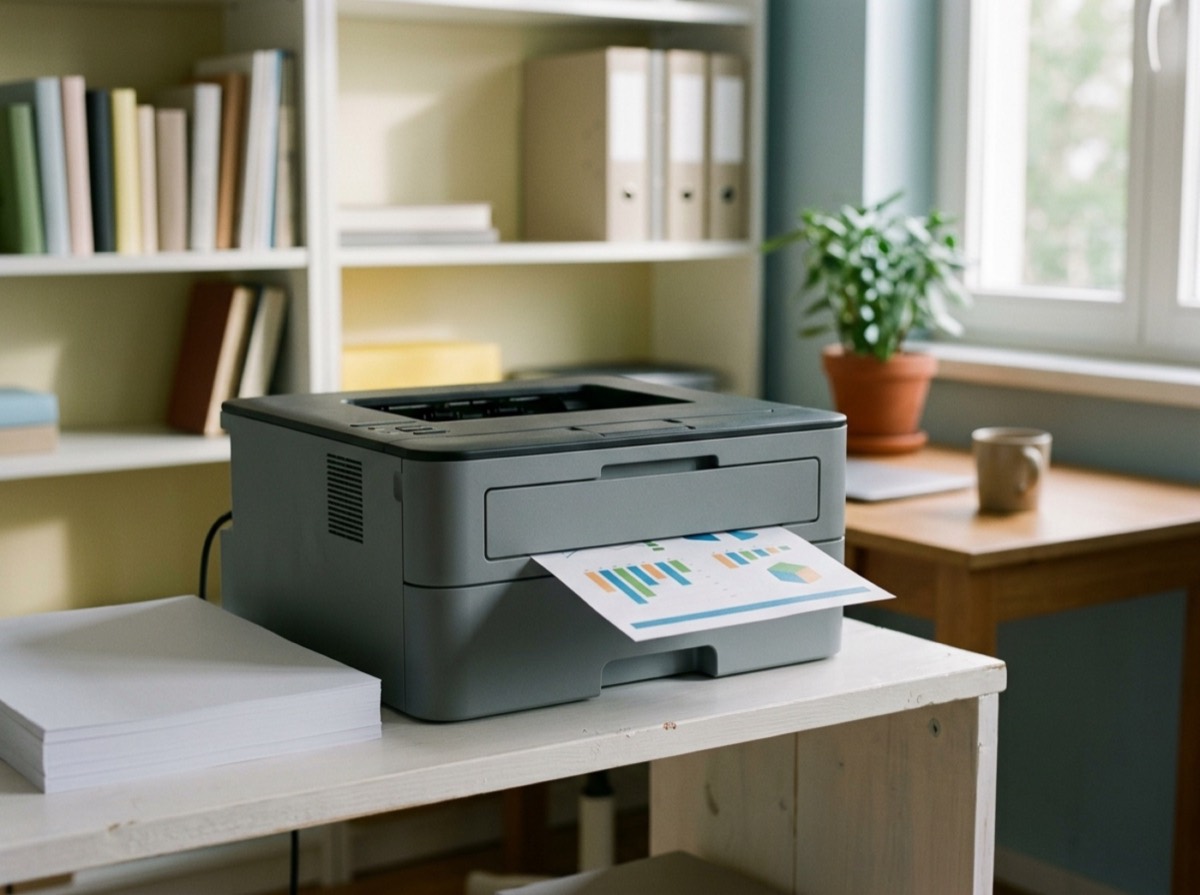
The best office printers in 2026 are all-in-one machines that print, scan and copy without fuss, keep running costs predictable and connect easily to laptops and phones over Wi-Fi or Ethernet. For most small offices, a colour laser all-in-one printer with an automatic document feeder is the safest choice, while a mono laser suits teams that mainly print contracts and invoices, and an ink tank printer offers the lowest cost per page for mixed colour work.
To build this ranking we compared recent tested roundups of the best small business printer, best laser printer and best all-in-one printer from independent reviewers, then checked specifications on the manufacturers' own product pages. We ranked models on print quality, speed, paper handling, scanning features such as a two-sided (duplex) document feeder, running costs and toner or ink yields, and how well they fit a shared office. Some models are sold under slightly different names in Europe and the US; we note this where it matters.
At a glance

#1 · Best for Small offices printing in colour
Brother MFC-L8390CDW
Best colour laser for most offices
The MFC-L8390CDW is a colour laser all-in-one printer made for small offices that print, scan and copy every day. It prints up to 30 pages per minute, and its 50-sheet two-sided document feeder scans both sides of a stack in one go. Brother ships it with generous in-box toner and sells higher-yield cartridges, which keeps the cost per page reasonable for a colour laser.
- Up to 30 pages per minute in colour and black
- 50-sheet two-sided automatic document feeder
- 8.8 cm colour touchscreen
- 250-sheet tray, expandable to 500 sheets
- High-yield toner up to 4,500 black pages
- Type
- Colour laser all-in-one
- Price range
- Mid-range
- Connectivity
- Wi-Fi, Ethernet, USB
#2 · Best for Offices that print colour graphics
HP Color LaserJet Pro MFP 4301fdw
Best colour print quality
HP's Color LaserJet Pro MFP 4301fdw is a business colour laser all-in-one that produces smoother, more vibrant graphics than most rivals in independent testing. It is also slightly faster than comparable Brother models. The trade-offs are pricier toner (it uses HP 210A cartridges) and HP's dynamic security, which can block some third-party cartridges. In parts of Europe the equivalent model is sold as the 4302fdw.
- Colour laser print, scan, copy and fax
- Very good colour graphics for a laser
- Automatic document feeder and auto duplex printing
- HP Smart app and business security features
- Uses HP 210A toner cartridges
- Type
- Colour laser all-in-one
- Price range
- Upper mid-range
- Best for
- Colour marketing prints
#3 · Best for Workgroups that print images
Canon i-SENSYS MF754Cdw
Compact colour laser with great images
Canon's i-SENSYS MF754Cdw (sold as the Color imageCLASS MF753Cdw in the US) is a compact colour laser all-in-one printer that reviewers praise for unusually good image quality. It prints quickly, scans both sides automatically and has a customisable 5-inch touchscreen. Toner is not the cheapest in its class, and the starter cartridges are light, so budget for replacements early.
- Automatic duplex scanning and copying
- Customisable 5-inch touchscreen
- 250-sheet cassette plus 50-sheet multipurpose tray
- Optional 550-sheet second cassette
- Strong photo and graphics quality for a laser
- Type
- Colour laser all-in-one
- Price range
- Upper mid-range
- Also sold as
- imageCLASS MF753Cdw (US)
#4 · Best for Text-heavy small offices
Brother MFC-L2980DW
Best black-and-white small office printer
The MFC-L2980DW is a compact mono laser all-in-one that covers everything a small office needs for text documents. It has a two-sided 50-sheet document feeder, an 8.8 cm colour touchscreen and both LAN and Wi-Fi. Brother includes a 3,000-page toner in the box and uses a separate drum and toner, so you only replace the part that runs out.
- Mono laser print, scan, copy and fax
- 50-sheet duplex automatic document feeder
- 8.8 cm colour touchscreen
- 3,000-page toner in the box, XXL toner up to 5,000 pages
- Separate drum and toner units
- Type
- Mono laser all-in-one
- Price range
- Budget to mid-range
- Connectivity
- LAN, Wi-Fi, USB
#5 · Best for Low cost per page in colour
Epson EcoTank ET-5850
Lowest running costs for colour
The ET-5850 (sold as the EcoTank Pro ET-5850 in the US) is an ink tank all-in-one printer built for offices. Instead of cartridges it uses refillable pigment ink bottles, and Epson rates a black bottle at about 7,500 pages and each colour bottle at about 6,000. It has two 250-sheet paper cassettes, a 50-sheet document feeder and a 4.3-inch touchscreen, and its heat-free print head needs no warm-up.
- Refillable pigment ink bottles with very high yields
- Up to 25 ISO pages per minute
- Two 250-sheet cassettes plus 50-sheet rear feed
- 50-sheet automatic document feeder
- Wi-Fi, Ethernet and 4.3-inch touchscreen
- Type
- Colour ink tank all-in-one
- Price range
- Premium to buy, cheap to run
- Ink
- Refill bottles
#6 · Best for Busy offices wanting low upkeep
Kyocera ECOSYS MA4000cifx
Built for long service life
Kyocera's ECOSYS MA4000cifx is an A4 laser multifunction printer designed around long-life parts, which lowers waste and running costs in busy offices. It prints up to 40 pages per minute and has a 100-sheet dual-scan document processor for fast two-sided scanning. Kyocera guarantees the drum and developer for 3 years or 200,000 pages, and the paper supply can grow to 2,210 sheets.
- Up to 40 pages per minute
- 100-sheet dual-scan document processor
- Drum and developer guaranteed for 3 years or 200,000 pages
- Paper capacity expandable to 2,210 sheets
- Microsoft Universal Print support and touch panel
- Type
- A4 laser multifunction
- Price range
- Business class
- Best for
- High-volume teams

#7 · Best for Departments printing in bulk
Brother MFC-L5710DW
Fast mono workhorse
The MFC-L5710DW is a black-and-white business laser all-in-one for departments that print a lot. It reaches up to 48 pages per minute, scans both sides with its 50-sheet feeder and can grow from a 250-sheet tray to 1,290 sheets with optional trays. Super-high-yield toner rated at 11,000 pages keeps the cost per page low.
- Up to 48 pages per minute
- 50-sheet two-sided document feeder
- Paper capacity expandable to 1,290 sheets
- 100-sheet multipurpose tray
- Toner options up to 11,000 pages
- Type
- Mono laser all-in-one
- Price range
- Upper mid-range
- Best for
- High-volume text printing
#8 · Best for Budget mono all-in-one
Xerox B215
Budget mono with a touchscreen
The Xerox B215 is a small four-in-one mono laser that prints, scans, copies and faxes at up to 30 pages per minute. Its large tilting touchscreen makes it easier to use than most budget lasers. Reviewers note that the paper tray sticks out of the back with A4 paper loaded, so allow a bit more desk space than the body suggests.
- Print, scan, copy and fax
- Up to 30 pages per minute
- Large tilting touchscreen
- 250-sheet paper tray
- Starter toner for about 1,500 pages
- Type
- Mono laser all-in-one
- Price range
- Budget
- Best for
- Home offices and small teams
#9 · Best for Home offices and freelancers
HP OfficeJet Pro 9125e
Versatile inkjet for home offices
CNET's testers rate the OfficeJet Pro 9125e as one of the most versatile printers for people working from home. It prints and scans quickly for an inkjet, has a large paper tray and a document feeder, and produces crisp text for reports and brochures. It is fairly loud and not meant for photo printing, and HP pairs it with its Instant Ink subscription option.
- Fast print and scan speeds for an inkjet
- Automatic document feeder
- Large paper tray
- Works with HP Smart app and Instant Ink
- Crisp text for documents and brochures
- Type
- Colour inkjet all-in-one
- Price range
- Budget to mid-range
- Best for
- Home offices
#10 · Best for Small offices on a budget
Epson WorkForce Pro WF-4830
Affordable inkjet with two trays
The WorkForce Pro WF-4830 is an office inkjet all-in-one that stands out for its two paper trays and excellent text quality, which suit offices producing long documents. It is bulky for a home desk, but the extra paper capacity means fewer refills during busy weeks. It is a good low-cost alternative if you don't need laser speeds.
- Print, scan, copy and fax
- Two paper trays for more capacity
- Sharp text quality for long documents
- Wireless and mobile printing
- Low purchase price
- Type
- Colour inkjet all-in-one
- Price range
- Budget
- Best for
- Document-heavy small offices
How to choose
Start with what your office prints. If most pages are black text, a mono laser printer such as the Brother MFC-L2980DW or MFC-L5710DW is fast, tidy and cheap to run. If you print presentations, flyers or charts, choose a colour laser all-in-one printer like the Brother MFC-L8390CDW or HP Color LaserJet Pro MFP 4301fdw. If you want the lowest cost per page for colour and don't mind an inkjet, an ink tank printer such as the Epson EcoTank ET-5850 uses refillable bottles that last for thousands of pages.
Then check the features that save time in a shared office. A duplex automatic document feeder (ADF) scans both sides of a stack in one pass, which matters if you digitise contracts or receipts. Look at paper capacity and whether you can add a second tray, a touchscreen with custom shortcuts, Ethernet as well as Wi-Fi, and security features such as PIN-protected secure print. Finally, compare the cost of high-yield toner rather than the printer price alone, and check whether the maker restricts third-party cartridges, as HP's dynamic security can.
Frequently asked questions
What is the best printer for a small office?
+
The Brother MFC-L8390CDW is the best printer for most small offices. It is a colour laser all-in-one with a 50-sheet two-sided document feeder, a 30 pages-per-minute print speed and optional high-yield toner. If you only print in black and white, the Brother MFC-L2980DW is a cheaper and more compact choice.
Is a laser or inkjet printer better for an office?
+
A laser printer is usually better for offices that print a lot of text, because it is fast, the toner doesn't dry out and pages are smudge-proof straight away. An ink tank inkjet such as the Epson EcoTank ET-5850 can be cheaper per page and handles colour graphics well, but it is slower than a laser. Standard cartridge inkjets tend to be the most expensive to run.
What is the cheapest office printer to run?
+
Ink tank printers generally have the lowest running costs, because the ink comes in large refill bottles instead of small cartridges. Epson says a black bottle for the EcoTank ET-5850 yields about 7,500 pages. Among laser printers, models that accept super-high-yield toner, such as the Brother MFC-L5710DW, keep the cost per page low.
What does a duplex ADF mean on a printer?
+
An ADF is an automatic document feeder that pulls a stack of pages through the scanner so you don't have to place each sheet on the glass. A duplex or two-sided ADF also scans the back of each page, which is useful for contracts and double-sided forms. The Brother MFC-L8390CDW, MFC-L2980DW and MFC-L5710DW all have one.
Should an office buy a colour or black-and-white printer?
+
Choose a black-and-white laser printer if you mainly print letters, invoices and contracts, because it is cheaper to buy and run. Choose a colour laser if you regularly print charts, marketing material or presentations. Many offices keep a fast mono printer for daily work and a colour all-in-one for occasional colour jobs.
Can I use third-party toner in an HP printer?
+
Some HP LaserJet printers use a feature HP calls dynamic security, which can block cartridges with non-HP chips. Reviewers at Wirecutter flagged this on the HP Color LaserJet Pro 4301fdw. If you plan to use compatible toner, check the model's policy before buying, or choose a brand that doesn't restrict cartridges.
What is the best printer for a busy office with high volumes?
+
For high volumes, look for a fast business laser with a large expandable paper supply and long-life parts. The Brother MFC-L5710DW prints up to 48 pages per minute and can expand to 1,290 sheets of paper, while the Kyocera ECOSYS MA4000cifx has a 100-sheet dual-scan feeder and a drum and developer guarantee of 3 years or 200,000 pages.
Do office printers still need fax?
+
Many offices no longer fax, but some sectors such as healthcare, legal and public administration still use it. All-in-one printers with 'fax' in the feature list, such as the Xerox B215, cover that need without an extra machine. If you never fax, a print, scan and copy model is enough.
The Brother MFC-L8390CDW is the best office printer for most small teams in 2026, with fast colour laser printing, a two-sided document feeder and high-yield toner that keeps running costs down. The HP Color LaserJet Pro MFP 4301fdw prints the best-looking colour graphics, the Brother MFC-L2980DW is the best small office printer for black-and-white documents, and the Epson EcoTank ET-5850 is the cheapest printer to run for colour. Busy departments should look at the Brother MFC-L5710DW or Kyocera ECOSYS MA4000cifx, which are built for high volumes and long service lives.
How we research: We compare each product on the same criteria, using makers’ documentation, independent reviews and owner feedback, and re-check the list when products change.
Written by
Bitezine Editorial Team
Rankings, reviews & guides
Our editors research every piece from makers’ documentation, independent tests and owner reports, and update it when products change.